How to Create Facebook Carousel Ads (Step-by-Step)
Learn how to create Facebook carousel ads in Meta Ads Manager, plus how Canvora generates your carousel visuals in under a minute. Start creating today.
On this page
Facebook carousel ads let you show multiple images or headlines in a single swipeable unit, with each card linking to a different URL. To create one, go to Meta Ads Manager, click "Create," choose a campaign objective (Traffic, Engagement, or Sales work best), then at the ad level select "Carousel" as the format. You'll add two to ten cards, each with its own image (1080x1080px recommended), headline (up to 40 characters), description, and destination URL. Upload your card visuals, write copy that builds narrative or showcases distinct products across the swipe, set your audience and budget at the ad set level, and publish. The whole setup takes under 30 minutes if your creative assets are ready. That last part is where most campaigns stall: producing five to ten on-brand card images without a designer is the real bottleneck, and it's where a tool like Canvora cuts the work down to roughly a minute per carousel.
TL;DR
- A Facebook carousel ad holds two to ten cards, each with its own image, headline, and destination URL.
- Campaign objectives that support carousel format: Traffic, Engagement, Leads, App Promotion, and Sales (including Catalog Sales).
- Recommended image spec per card: 1080x1080px (1:1), under 30MB, JPG or PNG.
- Headline limit per card: 40 characters. Primary text (above the carousel): 125 characters before truncation.
- The creative bottleneck is producing multiple on-brand card images fast. Canvora generates a full Facebook carousel (up to 10 slides) from a URL, PDF, or plain text input.
- You can apply a brand kit (logo, colors, fonts) automatically so every card is consistent without manual formatting.
- Add UTM parameters to each card's destination URL before publishing so you can measure which card drives the most clicks in Meta Ads Manager.
The rest of this guide walks through every step: campaign setup, audience targeting, creative specs, copy formulas, and how to produce the card visuals without touching a design tool.
What Is a Facebook Carousel Ad?
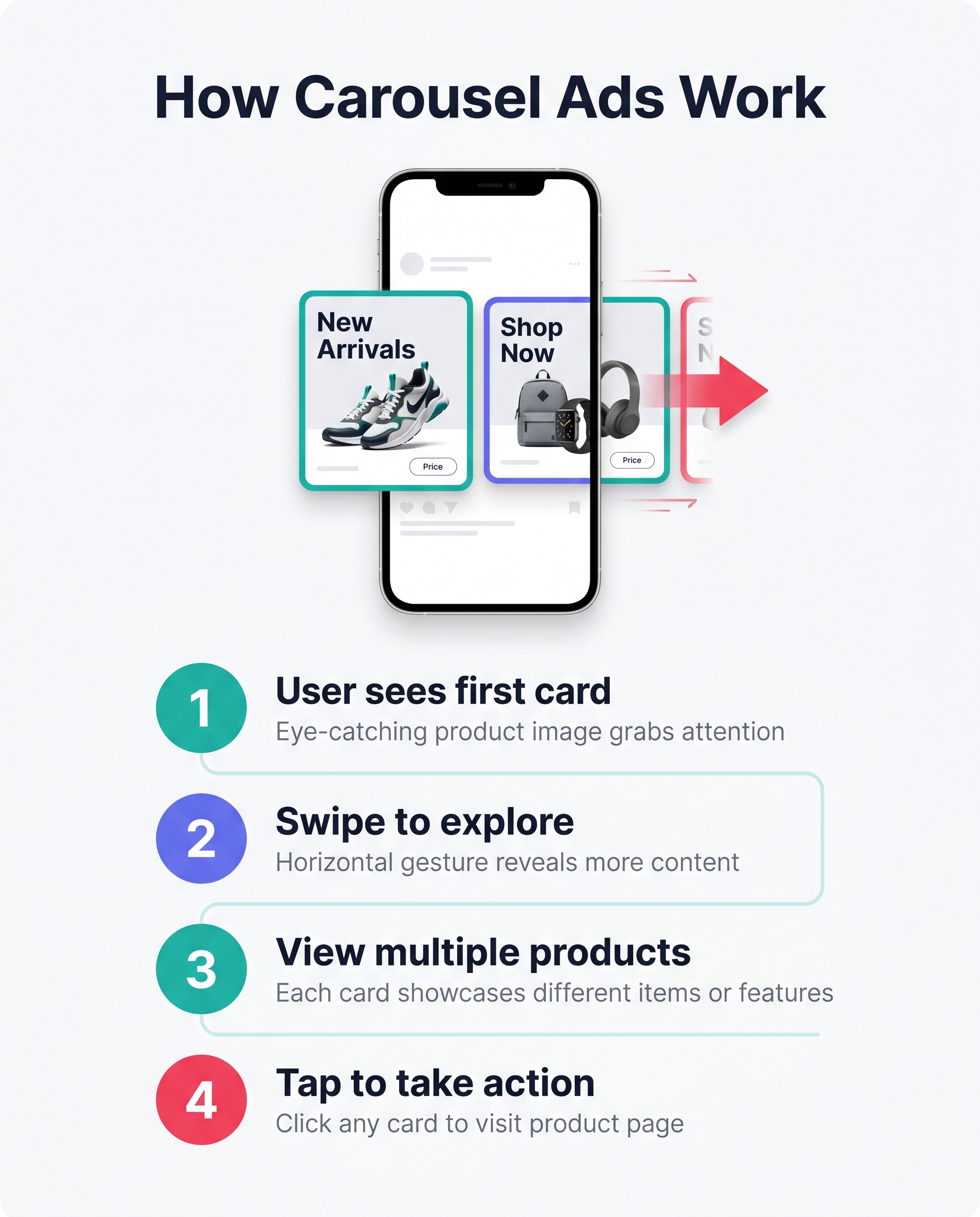 Carousel ads let viewers swipe through multiple cards in sequence.
A Facebook carousel ad is a paid ad format inside Meta Ads Manager that displays between 2 and 10 cards in a horizontally swipeable sequence. Each card carries its own image, headline, description, and destination URL, so a single ad unit can tell a multi-part story, showcase several products, or walk a prospect through a sequence of benefits without sending them to a landing page first. Carousel ads run across Facebook Feed, Instagram Feed, Stories, Messenger, and Audience Network placements, which means one campaign can reach the same audience across multiple surfaces. Because users physically swipe through the cards, the format generates more interaction signals than a static single-image ad, and that interaction tends to correlate with higher click-through rates and lower cost per click on comparable budgets. The key distinction to keep in mind: a carousel ad is a paid placement managed through Meta Ads Manager, with an ad spend attached and full targeting controls. A carousel post is organic content published directly to a Facebook Business Page with no spend and no targeting beyond your existing followers.
Carousel ads let viewers swipe through multiple cards in sequence.
A Facebook carousel ad is a paid ad format inside Meta Ads Manager that displays between 2 and 10 cards in a horizontally swipeable sequence. Each card carries its own image, headline, description, and destination URL, so a single ad unit can tell a multi-part story, showcase several products, or walk a prospect through a sequence of benefits without sending them to a landing page first. Carousel ads run across Facebook Feed, Instagram Feed, Stories, Messenger, and Audience Network placements, which means one campaign can reach the same audience across multiple surfaces. Because users physically swipe through the cards, the format generates more interaction signals than a static single-image ad, and that interaction tends to correlate with higher click-through rates and lower cost per click on comparable budgets. The key distinction to keep in mind: a carousel ad is a paid placement managed through Meta Ads Manager, with an ad spend attached and full targeting controls. A carousel post is organic content published directly to a Facebook Business Page with no spend and no targeting beyond your existing followers.
Carousel Ad Specs and Character Limits to Know
Before building your creative, confirm your assets meet Meta's current requirements. The figures below reflect Meta's published specs as of mid-2026, but always verify in the Meta Ads Manager help center before launching.
| Element | Spec |
|---|---|
| Number of cards | 2–10 |
| Recommended image size | 1080 × 1080 px (1:1 ratio) |
| Minimum image size | 600 × 600 px |
| Maximum image file size | 30 MB |
| Image formats accepted | JPG, PNG |
| Headline per card | Up to 40 characters |
| Description per card | Up to 20 characters |
| Primary text (above cards) | Up to 125 characters (truncated beyond that on most placements) |
| Destination URL | Required per card; each card can point to a different URL |
A few practical notes. Square (1:1) images are the safest choice because they render consistently across Feed, Stories, and Messenger without cropping surprises. If you plan to run the same creative on Instagram Stories, Meta will auto-crop your square assets to 9:16, so check the preview before publishing. Keep your primary text under 125 characters if you want the full copy visible without a "See more" truncation on mobile.
The Difference Between Static and Dynamic Carousel Ads
Static carousel ads use manually uploaded images and copy for each card. You control every element. Dynamic carousel ads (also called dynamic product ads or catalog ads) pull images, prices, and product names automatically from a Meta product catalog connected through Commerce Manager. Dynamic carousels are powerful for e-commerce retargeting: Meta personalizes the card sequence per viewer based on their browsing history, so someone who looked at three products on your site sees exactly those three products in the carousel.
If you run a product catalog, dynamic ads reduce creative production to near zero per campaign. If you are running a brand campaign, a feature showcase, or a lead-generation sequence, static carousels give you full narrative control. Most advertisers use both: dynamic for retargeting, static for top-of-funnel storytelling.
When to Use a Carousel Ad (and When Not To)
Carousel ads earn their place when the format itself does work that a single image cannot. A static ad shows one thing. A carousel lets the viewer pull the story forward, card by card, which changes the psychology of the interaction from passive viewing to active engagement.
Best fits for the carousel format
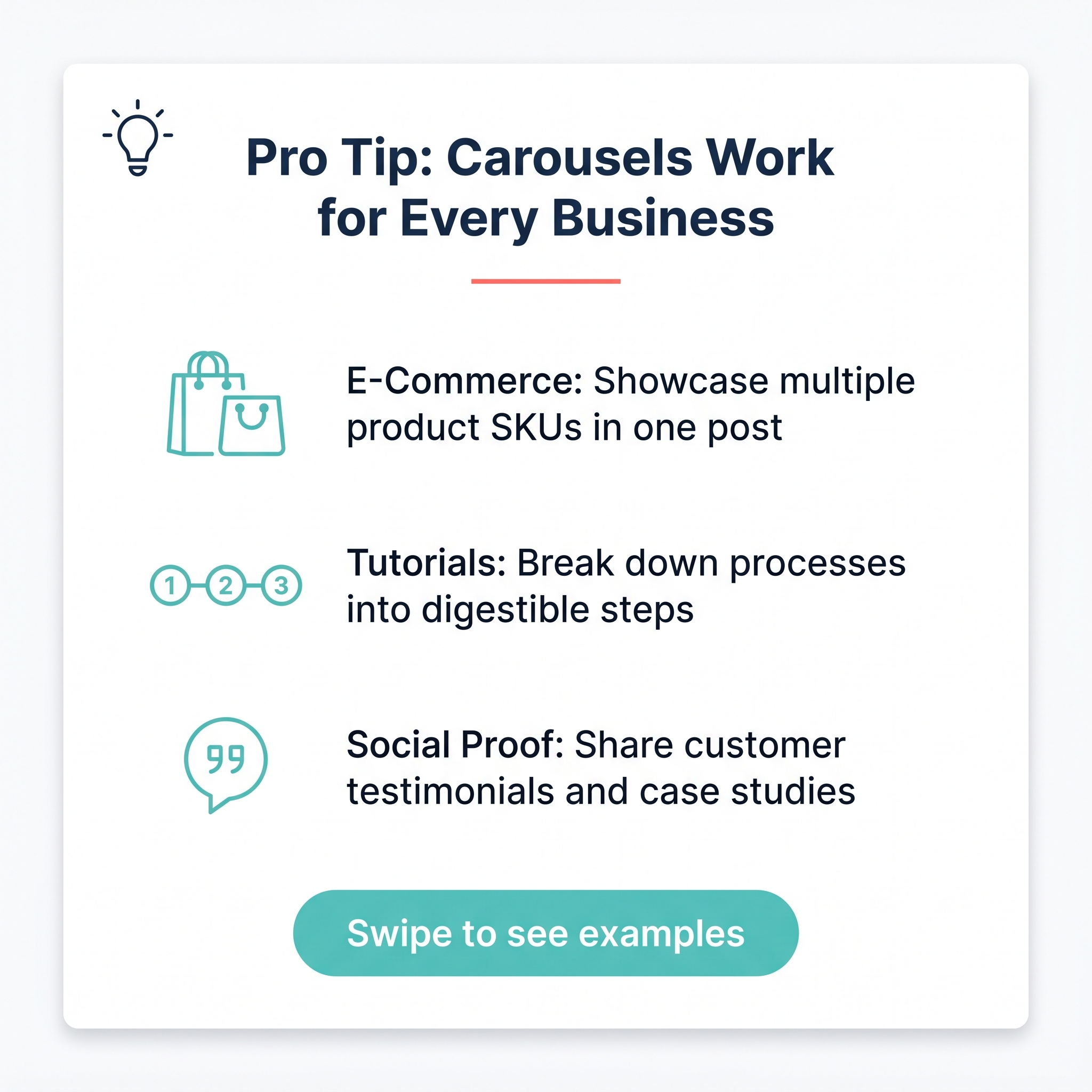 Carousels shine when you have multiple related stories to tell.E-commerce product ranges. If a brand sells five colorways of the same sneaker, or a skincare line with four complementary products, each card becomes a product page in miniature. Viewers swipe to find the variant that matches them, which concentrates click intent before they even reach the landing page.
Step-by-step tutorials. A sequence with a logical order (mix the batter, pour the batter, pull it from the oven) rewards swiping because the next card is always a payoff. The format mirrors how people already consume instructional content.
Before/after comparisons. Card one sets the problem. Card two delivers the resolution. Simple, and effective.
Multi-feature SaaS announcements. Each card covers one capability without cramming everything into a single frame.
Retargeting campaigns. Show a user who browsed your catalog three different products they viewed but did not buy. Meta's dynamic carousel format can automate this against a product catalog feed.
When a single image works better
 Single images work best for one hero product; carousels for related sequences.
If the goal is broad brand awareness around one hero product, a single strong visual typically outperforms a carousel. There is no sequential story to tell, and asking someone to swipe for no narrative reason adds friction without reward.
Single images work best for one hero product; carousels for related sequences.
If the goal is broad brand awareness around one hero product, a single strong visual typically outperforms a carousel. There is no sequential story to tell, and asking someone to swipe for no narrative reason adds friction without reward.
A note on cost
Carousel ads compete in the same auction as single-image and video ads. There is no format premium. The decision is purely creative, not budgetary.
Before You Start: What You Need Ready
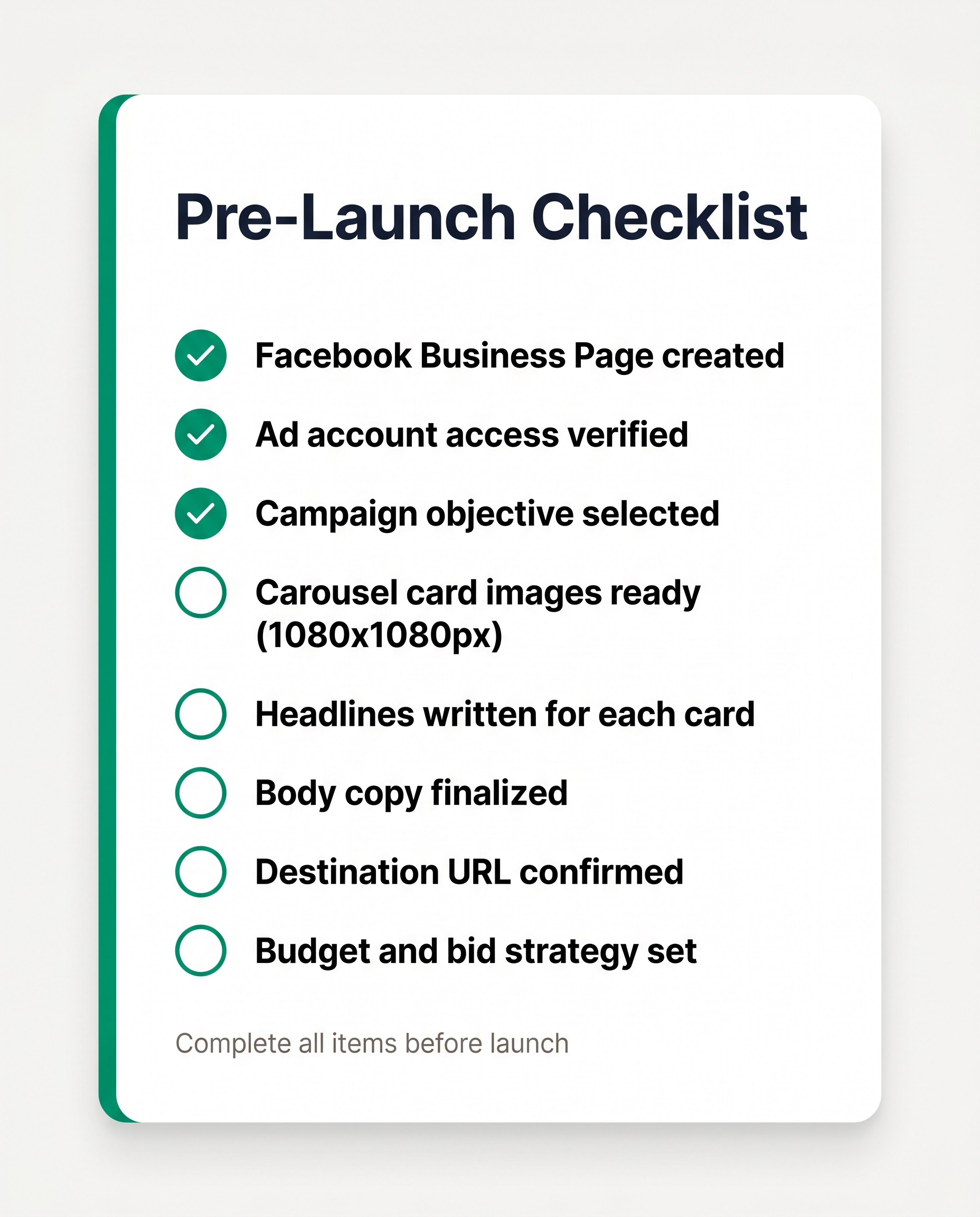 Gather these assets before opening Meta Ads Manager to avoid losing your draft.
Before you open Meta Ads Manager, gather everything the setup wizard will ask for. Missing one piece mid-flow means losing your draft.
Gather these assets before opening Meta Ads Manager to avoid losing your draft.
Before you open Meta Ads Manager, gather everything the setup wizard will ask for. Missing one piece mid-flow means losing your draft.
A Facebook Business Page. Personal profiles cannot run ads. If you don't have a Business Page yet, create one at facebook.com/pages/create before touching Ads Manager.
A Meta Ads Manager account with a payment method attached. Go to business.facebook.com, confirm your ad account is active, and verify billing is set up. A pending or restricted account will block publishing.
Your card creatives. Facebook supports 2 to 10 cards per carousel. The recommended image size is 1080×1080px (1:1 ratio). For Stories and Reels placements, use 1080×1920px (9:16). Each card can carry a separate image, headline, description, and destination URL.
Copy for each card. The headline field displays up to 40 characters before truncation. Primary text (above the carousel) shows roughly 125 characters before the "See more" cut-off. Write short; assume truncation.
A clear campaign objective. Not every objective supports the carousel format. Traffic, Engagement, Leads, App Promotion, and Sales (including Catalog Sales) all do. Awareness has limited carousel support depending on placement.
UTM parameters on each card URL. This is optional but worth the two minutes it takes. Tagging each card URL individually (for example, utm_content=card_1, utm_content=card_2) lets you see per-card click data in Google Analytics or your attribution tool, so you know which card is driving action and which is dead weight.
How to Create a Facebook Carousel Ad in Meta Ads Manager
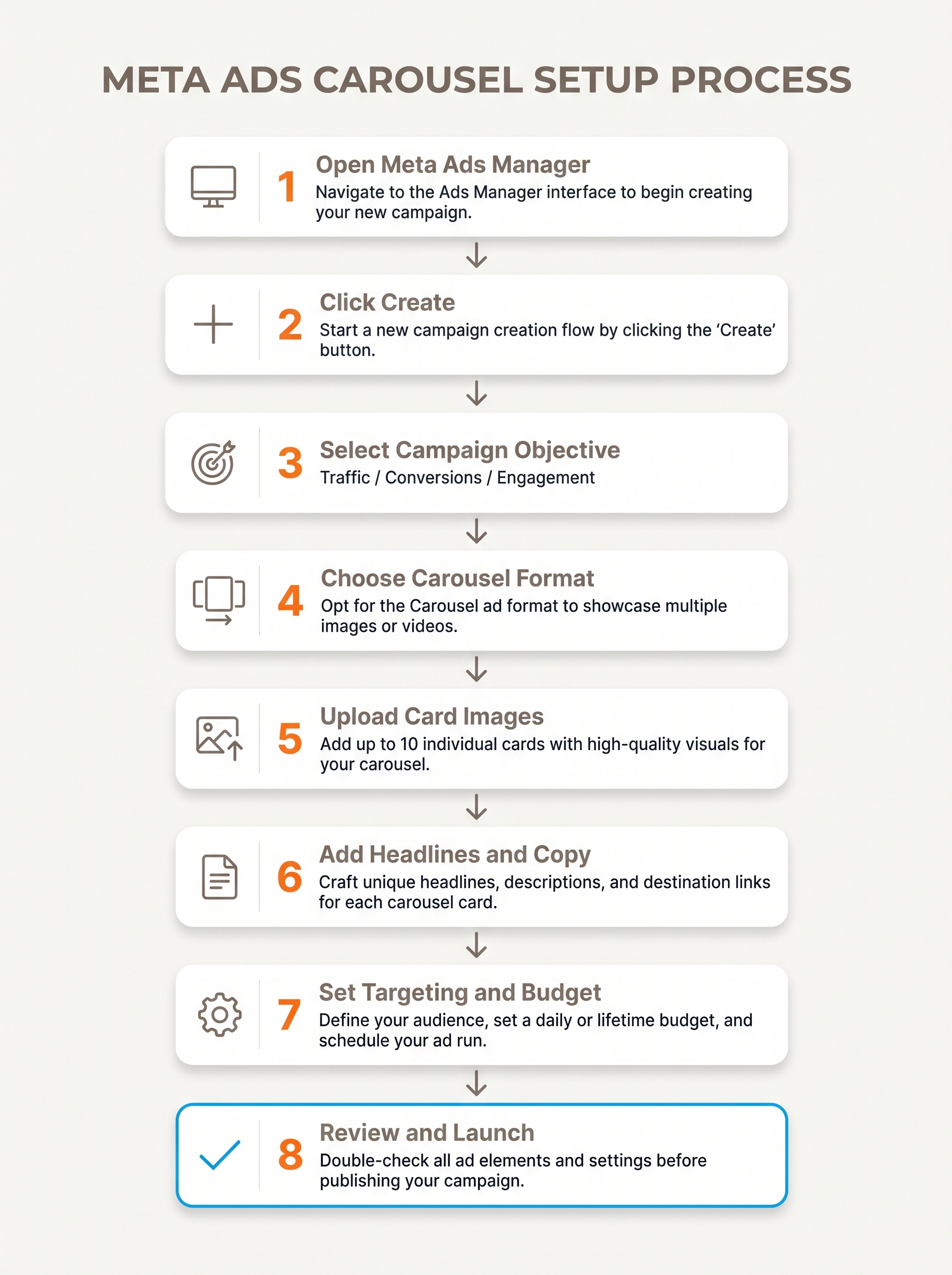 Follow this workflow to set up your carousel campaign in Ads Manager.
Setting up a carousel ad in Meta Ads Manager takes six steps:
Follow this workflow to set up your carousel campaign in Ads Manager.
Setting up a carousel ad in Meta Ads Manager takes six steps:
- Create the campaign. Click Create to start a new campaign, then choose an objective that supports the carousel format — Traffic, Engagement, Leads, App Promotion, or Sales (including Catalog Sales) all work.
- Configure the ad set. Define your target audience, set your budget and schedule, and choose between Advantage+ automatic placements (Meta distributes your ad across Facebook, Instagram, Messenger, and Audience Network) or manual placements for tighter control.
- Select the carousel format. At the ad level, select your Facebook Business Page, then choose Carousel as the ad format.
- Add your cards. Add two to ten cards, each with its own image or video, headline, description, and destination URL.
- Set card ordering. Decide whether to enable Facebook's dynamic ordering, which automatically surfaces the best-performing card first based on click-through-rate data. Turn it off if your cards tell a sequential story.
- Preview and publish. Use the placement preview to check how each card renders in Feed, Stories, and Messenger — mobile truncates copy quickly, so confirm nothing critical is cut off — then publish.
How to Set Up Carousel Catalog Ads (Dynamic Product Ads)
Carousel catalog ads, also called dynamic product ads, pull card content directly from a Meta product catalog rather than requiring you to upload images and write copy for each card manually. This makes them the standard choice for e-commerce retargeting.
Prerequisites:
- A product catalog connected in Commerce Manager
- Meta Pixel installed on your site and firing product view, add-to-cart, and purchase events
- A Facebook Business Page linked to your ad account
Setup steps:
- In Meta Ads Manager, create a new campaign and select Catalog Sales as the objective.
- At the ad set level, choose your product catalog from the dropdown. Define your audience: you can target broad audiences with Advantage+ Audiences, or retarget visitors who viewed products but did not purchase (requires Pixel data).
- At the ad level, the carousel format is selected automatically. Meta populates each card with product image, name, price, and a link to the product page, all pulled from your catalog feed.
- Customize the primary text and call-to-action button. The per-card headline and description are drawn from catalog fields by default, but you can override them with static copy or catalog field variables (for example,
{{product.name}}). - Enable Advantage+ Catalog Ads if you want Meta to automatically test card combinations and surface the highest-performing set per user.
Dynamic carousels update in real time as your catalog changes, so a product that goes out of stock stops appearing without any manual intervention.
Creating Your Carousel Visuals Without a Designer
 AI tools, templates, and DIY editing can all produce on-brand carousel cards.
The real bottleneck in most Facebook carousel ad campaigns isn't the Ads Manager setup. It's producing 10 on-brand card images that look coherent, match your brand, and don't take half a day to make. Template-based tools require you to open a design, swap out the headline, adjust the image, re-check the font, export, and repeat that process for every single card. For a 10-slide carousel, that's a significant block of time before you've even touched your targeting. Canvora takes a different approach. Paste a product URL, a blog post link, a PDF brief, or plain text describing your offer, and it generates a full 10-slide carousel in about a minute, with your brand kit (logo, colors, fonts) applied automatically across every card. There's no per-card formatting pass. Content on the visuals can be generated in 150+ languages, so international campaigns don't need a separate design run. Export as PNG or ZIP and upload directly to Meta Ads Manager.
AI tools, templates, and DIY editing can all produce on-brand carousel cards.
The real bottleneck in most Facebook carousel ad campaigns isn't the Ads Manager setup. It's producing 10 on-brand card images that look coherent, match your brand, and don't take half a day to make. Template-based tools require you to open a design, swap out the headline, adjust the image, re-check the font, export, and repeat that process for every single card. For a 10-slide carousel, that's a significant block of time before you've even touched your targeting. Canvora takes a different approach. Paste a product URL, a blog post link, a PDF brief, or plain text describing your offer, and it generates a full 10-slide carousel in about a minute, with your brand kit (logo, colors, fonts) applied automatically across every card. There's no per-card formatting pass. Content on the visuals can be generated in 150+ languages, so international campaigns don't need a separate design run. Export as PNG or ZIP and upload directly to Meta Ads Manager.
How to Build Your Carousel Visuals in Canvora
The workflow is designed for people who know what they want to say but don't want to spend time laying it out.
- Paste your input. Drop in a product page URL, a PDF, a Word document, or a plain-text brief. Canvora reads the content and extracts the key messages, benefits, and calls to action.
- Choose your format and style. Select the Facebook carousel format. Pick from 8 visual styles (modern, minimal, bold, elegant, playful, corporate, creative, dark) to match your campaign tone.
- Apply your brand kit. Your saved brand kit (logo, color palette, fonts) applies automatically to every slide — no manual formatting per card. Every plan includes at least one brand kit.
- Review and edit. Use the Visual Editor to adjust headlines or body text directly on any card. If you want broader changes, natural language edits work too: type "make the background darker" or "increase the font size on the headline" and the change applies.
- Export. Download as PNG files or a ZIP archive and upload the cards directly into Meta Ads Manager when building your ad creative.
For teams running multilingual campaigns, the same input can produce carousel copy in 150+ languages without a separate design pass for each market.
Using Canvora Inside ChatGPT or Claude to Build Ad Visuals
If you're already drafting ad copy or campaign briefs inside an AI assistant, Canvora's MCP integration lets you generate the visuals without switching tabs.
Add Canvora as a connector in Claude or ChatGPT (setup takes about two minutes via OAuth, no API key required, and works on all plans including Free). Once connected, start your prompt with "Use Canvora" to route the request correctly. For example:
"Use Canvora to create a 10-slide Facebook carousel for this product launch brief: paste brief. Use a bold visual style and apply my brand kit."
Canvora generates the carousel inside the conversation. You review, request edits in plain language, and export when it's ready. See the Canvora MCP setup guide for the full walkthrough.
This is particularly useful for agencies or founders who live in AI assistants and want the design step to stay inside the same workflow, rather than bouncing between four tools to get one ad set out the door.
Writing Carousel Ad Copy That Gets Clicks
Good carousel copy is invisible. The reader doesn't notice the structure; they just keep swiping. That happens because each card earns its own attention rather than borrowing from the cards around it.
Card 1 is a cover, not an introduction. It has one job: make someone stop scrolling and swipe right. Write the headline as if nothing else exists. "Still spending 3 hours on one social post?" works without context. "Here's how we fixed it" does not.
Build a Narrative Arc
Treat the full carousel as a short story, not a list of product features.
- Cards 1-2: Surface the problem or tension. Make it specific enough that the right audience recognizes themselves.
- Cards 3-6: Walk through the solution. One idea per card. Resist the urge to cram.
- Cards 7-8: Proof. A stat, a customer result, a before/after. Something concrete.
- Cards 9-10: CTA. One action, one destination. Repeat it on the final card's button.
Write Headlines That Stand Alone
Every card headline should make sense in isolation. A user who enters the carousel at card 4 (via a retargeting placement) has no idea what cards 1-3 said. "Cut design time in half" is self-contained. "See how" is not.
Keep headlines action-oriented and specific. Vague benefit language ("Save time", "Work smarter") loses to concrete claims ("10 visuals from one blog post", "No designer needed").
Primary Text Does One Job
The primary text field above the carousel frames the whole story. It should not repeat card headlines verbatim. Think of it as the premise: one or two sentences that give a reader enough context to want to swipe, then stop. If your primary text is doing the same work as card 1, one of them is redundant.
Test Two Copy Variants
Run at least two copy variants from the start: one benefit-led ("Turn any blog post into 10 social visuals") and one curiosity-led ("Most content teams waste 4 hours a week on this"). Meta's native A/B test tool handles the split natively inside Ads Manager, so there's no reason to guess which angle resonates with your audience.
Budgeting and Bidding for Facebook Carousel Ads
Facebook carousel ads don't carry a format-specific price tag. You pay into the same CPM and CPC auction as any other Meta ad type, so the format itself won't inflate your costs. What drives price is audience competition, industry vertical, and how well your creative performs in the auction. Average CPCs vary considerably: B2B SaaS advertisers typically see $2–5 per click, while e-commerce accounts often land in the $0.50–2 range, though both figures shift with seasonality and audience saturation. In practice, carousel ads frequently outperform single-image ads on CPC in e-commerce contexts because the swipeable format drives higher engagement, and Meta's auction rewards engagement with lower delivery costs. To give the algorithm enough signal to optimize, start with a daily budget of $10–20 and aim for at least 50 conversions per week if you're running a conversion campaign. Below that threshold, the algorithm is essentially guessing.
CBO vs. ABO: Which Budget Structure to Use
Campaign Budget Optimization (CBO) lets Meta distribute spend across your ad sets automatically, which works well once you have performance data and trust the algorithm's allocation. Ad Set Budget Optimization (ABO) gives you manual control over how much each audience segment receives, which is useful early in testing when you want to force equal exposure across audiences before the algorithm develops a preference. Most practitioners start with ABO during the learning phase, then consolidate winning ad sets under CBO once a clear performer emerges.
Reading Cost-Per-Card-Click in Ads Manager
Standard CPC metrics won't tell you which carousel cards are carrying the campaign. In Meta Ads Manager, pull the carousel card-level breakdown to see cost per card click for each individual slide. Cards with high click costs and low engagement are candidates to replace. Cards generating disproportionate clicks relative to their position (especially cards 3–5, which only engaged users reach) signal strong creative worth isolating or reusing in a single-image ad.
Measuring Carousel Ad Performance
Carousel ads generate a layer of performance data that single-image ads simply don't produce. The most useful signal is card clicks: a breakdown showing which individual cards drove clicks, not just the ad overall. To access it, go to Reporting in Meta Ads Manager, then Breakdown → By Carousel Card. This view exposes CTR and CPC at the card level, which is where the real diagnostic work happens.
Reading the Card-Level Data
If card 1 has high impressions but a low CTR, the problem is almost always the hook: the lead image, the headline, or both. The offer itself may be fine. Fixing card 1 often lifts the entire ad's performance without touching the remaining cards.
Frequency is worth watching closely on carousel campaigns. Because each card is a separate visual, audiences can experience your carousel multiple times before ad fatigue registers in aggregate metrics. A frequency above 3-4 on a cold audience usually signals it's time to rotate creatives.
Swipe-Through Rate (the Proxy Method)
Meta doesn't expose a native swipe-through rate. The practical workaround: compare card 1 impressions against card 5 (or later) clicks. A steep drop-off between early and late cards points to weak narrative flow or an unconvincing middle sequence.
Conversion Attribution with Meta Pixel
Install Meta Pixel events (ViewContent, AddToCart, Purchase) on the relevant destination pages. When a user clicks card 3 and converts, Pixel ties that conversion back to that specific card in the breakdown report. This matters for catalog-linked carousels especially, where different cards often point to different product pages. Without Pixel firing correctly, you're optimizing on click data alone and missing the downstream story.
Common Mistakes That Kill Carousel Ad Performance
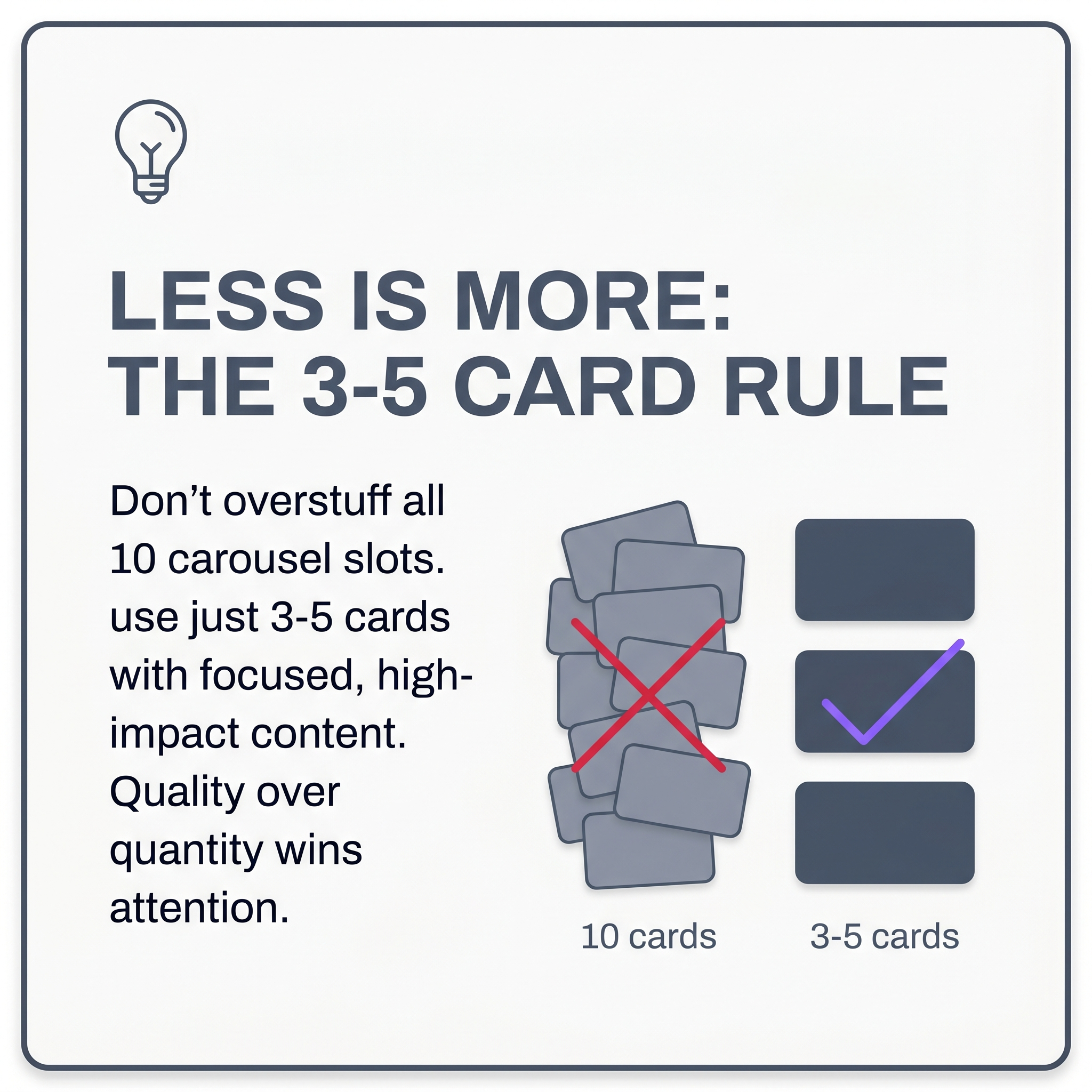 Avoid these three mistakes to improve carousel ad click-through rates.
Carousel ads fail for predictable reasons, and most of them happen before a single dollar is spent on media.
Avoid these three mistakes to improve carousel ad click-through rates.
Carousel ads fail for predictable reasons, and most of them happen before a single dollar is spent on media.
Too Many Cards, Not Enough Story
Filling all available slots because you can is one of the most common errors. Ten cards is a ceiling, not a target. When the story can be told in three or four cards, adding six more dilutes the message and trains viewers to stop swiping. Audit every card against a single question: does this move the viewer closer to clicking? If not, cut it.
Inconsistent Visuals Across Cards
If card one uses a dark background with white type and card three switches to a light pastel layout, viewers lose the sense that they're looking at a coherent ad. Consistent fonts, colors, and visual weight across every card are what make a carousel feel intentional rather than assembled. Canvora's brand kit applies your logo, colors, and fonts automatically across every generated card, which eliminates this problem at the source.
All Cards Pointing to One URL
Each card can carry its own destination link. If card two features a specific product and card five features a different one, send each to its own landing page. Routing everything to a homepage wastes the precision the format offers.
Skipping the Mobile Preview
The overwhelming majority of Facebook carousel views happen on mobile. Text that reads cleanly on a desktop mockup often gets cropped or compressed on a 390px screen. Always check the mobile preview inside Meta Ads Manager before publishing.
Leaving "Optimize Card Order" On for Narrative Sequences
Meta's optimization will reorder cards based on click performance, which is useful for product catalogs but destructive for story-driven sequences. If your carousel walks a viewer through a problem, a solution, and a call to action in that specific order, disable automatic card reordering in the creative settings.
Not Rotating Creatives After Two to Three Weeks
Carousel fatigue accumulates faster than with single-image ads because users remember the act of swiping. Once a creative has run for two to three weeks against the same audience, performance typically drops sharply. Build a second or third creative variant early, before the numbers dip, so you can rotate without scrambling.
Frequently Asked Questions
Q: Can a Facebook ad be a carousel?
Yes. Facebook carousel ads are a native format in Meta Ads Manager. Each carousel contains 2–10 cards, and each card can carry its own image or short video, headline, description, and destination URL. The format runs across Facebook Feed, Instagram Feed, Stories, and Messenger placements. You need a Facebook Business Page and an Ads Manager account to run one. Personal profiles cannot run paid ads.
Q: Can you create a carousel post on Facebook for free?
Yes. Organic carousel posts (no ad spend) can be created for free on a Facebook Business Page. The catch is reach: organic carousels are shown primarily to existing followers, and algorithmic reach is limited. If you want your carousel in front of a targeted audience beyond your current page followers, you need to run it as a paid ad through Meta Ads Manager with a budget attached.
Q: How much do Facebook carousel ads cost?
Facebook carousel ads carry no format premium. You pay the same auction-based CPM or CPC as single-image ads. Actual costs vary by industry, audience size, and competition. E-commerce advertisers often see CPCs between $0.50 and $2; B2B campaigns can run $2–5 or higher. A daily budget of $10–20 is a reasonable starting point for initial testing. Meta sets no minimum spend requirement.
Q: How many cards can a Facebook carousel ad have?
Facebook carousel ads support a minimum of 2 cards and a maximum of 10 cards. Each card can have its own image or video, headline (up to 40 characters), description, and destination URL. Most advertisers find 4–6 cards hits the sweet spot: enough to tell a complete story without losing viewers before the final CTA card.
Q: Can each card in a Facebook carousel ad link to a different URL?
Yes. Each card can point to its own destination URL, which makes the format well-suited for showcasing multiple products (each linking to its own product page) or guiding users through a multi-step funnel. If your campaign has a single destination, you can also set one URL across all cards. The per-card URL flexibility is one of the carousel format's clearest advantages over single-image ads.
Q: How do I create carousel ad visuals without a designer?
Canvora lets you paste a product URL, blog post, or plain-text brief and generates a full 10-slide carousel in about a minute, applying your brand colors, logo, and fonts automatically. Export the cards as PNG or ZIP and upload them directly to Meta Ads Manager. Canvora supports content generation in 150+ languages, so international campaigns don't need a separate design pass. Plans start at $19/month, and there's a free tier with one-time credits to test the workflow.
Q: Does Meta automatically reorder carousel cards?
Yes. By default, Meta enables an option called "Automatically show the best-performing card first." Meta tests different card orders and prioritizes whichever drives the most engagement. If your carousel tells a sequential story where order matters (a step-by-step tutorial, for example), disable this option in the ad creation settings. Otherwise, Meta may surface your final CTA card before the viewer has seen the setup.
Q: What image size should I use for Facebook carousel ads?
Facebook recommends 1080×1080 pixels (1:1 square ratio) for carousel card images, with a minimum of 600×600 pixels. For Stories placements, 1080×1920 pixels (9:16 vertical) works better. Use JPG or PNG formats. Keep text overlays minimal. Meta's ad system may flag creatives where text covers more than 20% of the image area, which can reduce delivery.
Q: Can I use Canvora to create carousel visuals inside ChatGPT or Claude?
Yes. Canvora integrates with Claude and ChatGPT via MCP (Model Context Protocol) on all plans, including the free tier. No API key is required. After a roughly 2-minute OAuth setup, prompt your AI assistant with "Use Canvora to create a 10-slide Facebook carousel for URL" and receive a preview link to download and upload to Ads Manager. Full setup instructions are in the Canvora MCP setup guide.
Q: How do I measure which carousel cards are performing best?
In Meta Ads Manager, go to Reporting and apply the "By Carousel Card" breakdown. This shows impressions, clicks, and CTR for each individual card. Cards with high impressions but low CTR signal a weak hook image or headline. Cards with strong CTR but low conversion often point to a landing page mismatch. Use this data to cut underperforming cards and replace them with new creative variants before scaling spend.
Q: Do carousel ads work on Instagram too?
Yes. When you enable Instagram as a placement in Meta Ads Manager, the same carousel creative runs across both Facebook and Instagram — you don't build a separate ad. Canvora generates carousel visuals sized for both, so you aren't producing separate assets per platform.
Tools mentioned in this article:
For your team / role:
Turn your content into a carousel now
Paste a URL, PDF, or idea — Canvora generates a ready-to-post carousel, on brand and in 150+ languages.
Free to start · 150 credits, no card · 150+ languages