Multilingual Social Media Graphics: Examples & Ideas
See real multilingual social media graphics examples and ideas – then learn how Canvora generates them in 150+ languages without a designer. Start free today.
On this page
Multilingual social media graphics are localized visual assets – quote cards, stat cards, carousels, infographics, and social posts – where both the design and the copy are adapted for a specific language and cultural context. They differ from simply translating a caption: the visual itself carries language-specific text, often in a script (Arabic, CJK, Devanagari, Cyrillic) or reading direction (right-to-left for Arabic and Hebrew) that requires deliberate typographic choices. Effective multilingual graphics maintain brand consistency – same logo, colors, and visual hierarchy – while rendering copy naturally in each target language. Common formats include LinkedIn carousels for thought leadership, Instagram quote cards for engagement, stat cards for data storytelling, and tip cards for educational content. The challenge for most teams isn't translation; it's production volume. A campaign targeting English, Spanish, Brazilian Portuguese, German, and Japanese audiences needs five versions of every asset, which multiplies design time unless the workflow is built to handle it at scale.
TL;DR – Key Takeaways
- Multilingual social media graphics adapt both copy and visual design for a specific language and script, not just the caption underneath.
- Script direction matters: Arabic and Hebrew run right-to-left; CJK characters require different line-height and font choices than Latin text.
- Brand consistency across languages depends on a shared brand kit – logo, colors, and fonts applied automatically to every language variant.
- The most common multilingual visual formats are quote cards, stat cards, tip cards, LinkedIn carousels, and Instagram carousels.
- Production volume is the real bottleneck: a five-language campaign multiplies every asset by five, which breaks manual template workflows fast.
- Canvora generates content directly in 150+ languages – the text on the visual, not just a caption – making it purpose-built for multilingual campaigns rather than a translation layer bolted onto an English-first tool.
- Platform-specific formats matter: a LinkedIn carousel and an Instagram carousel serve different audiences and require different aspect ratios, even for the same underlying content.
What Are Multilingual Social Media Graphics?
 Same message, multiple languages–reaching every audience natively.
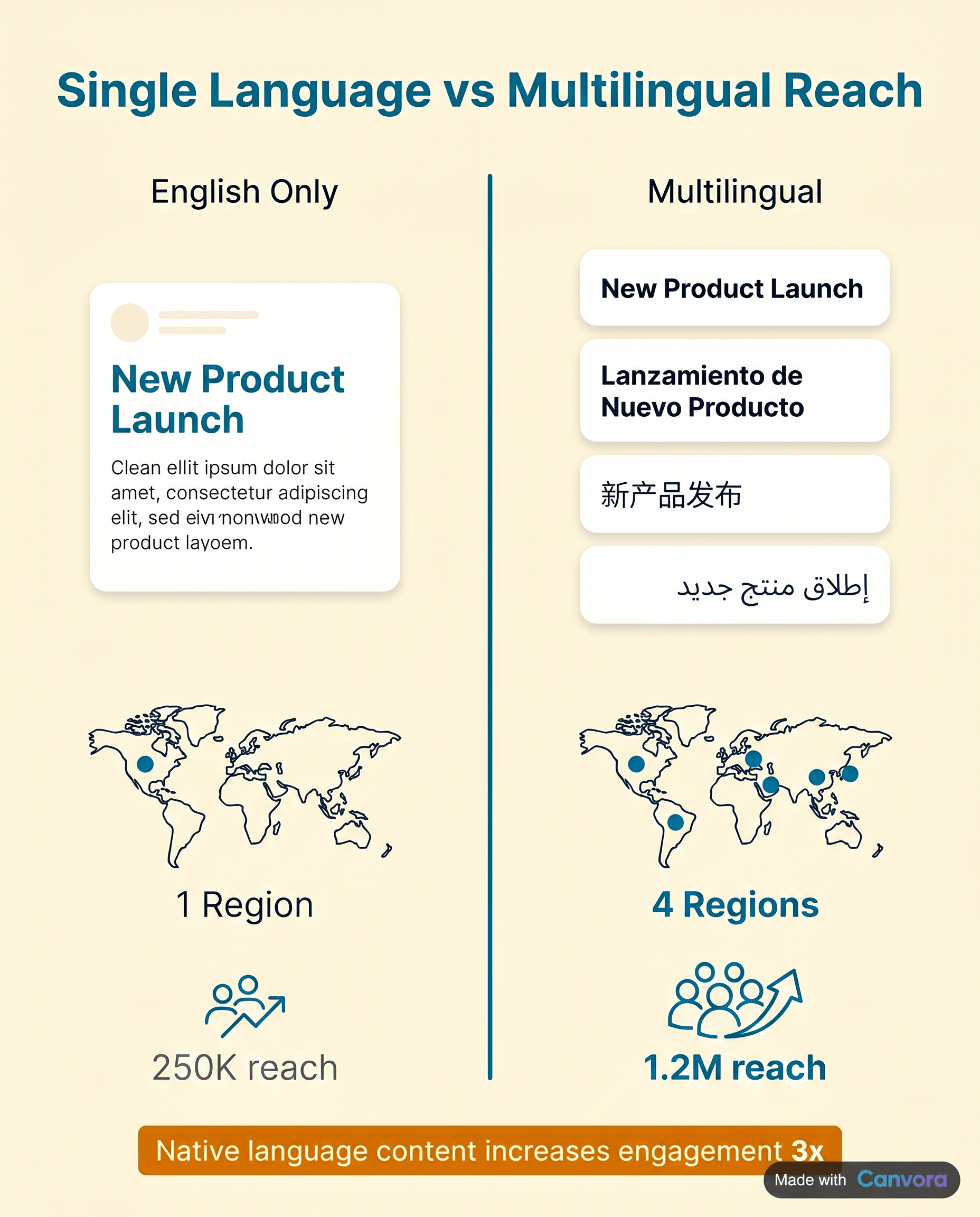
Multilingual social media graphics are visuals where the on-image text – headlines, body copy, CTAs, stat callouts – is rendered in the audience's native language, not just the caption underneath the post. That distinction matters more than it sounds. A Spanish-speaking audience in LATAM scrolling Instagram doesn't stop at a graphic written in English just because the caption below it is translated. The graphic itself has to speak their language. The formats this applies to are wide: quote cards, stat cards, tip cards, carousels, event announcements, product promos, LinkedIn thought-leadership slides. All of them carry meaning through their on-image text, and all of them underperform when that text is in the wrong language for the audience seeing them. The common mistake is treating localized visuals as a finishing step – something you do after the English version is approved, if there's time. That approach produces inconsistent output and usually means non-English markets get fewer assets, lower production quality, or both.
Same message, multiple languages–reaching every audience natively.
Multilingual social media graphics are visuals where the on-image text – headlines, body copy, CTAs, stat callouts – is rendered in the audience's native language, not just the caption underneath the post. That distinction matters more than it sounds. A Spanish-speaking audience in LATAM scrolling Instagram doesn't stop at a graphic written in English just because the caption below it is translated. The graphic itself has to speak their language. The formats this applies to are wide: quote cards, stat cards, tip cards, carousels, event announcements, product promos, LinkedIn thought-leadership slides. All of them carry meaning through their on-image text, and all of them underperform when that text is in the wrong language for the audience seeing them. The common mistake is treating localized visuals as a finishing step – something you do after the English version is approved, if there's time. That approach produces inconsistent output and usually means non-English markets get fewer assets, lower production quality, or both.
The deeper issue is that translated captions and localized graphics are not interchangeable. A caption is metadata. A graphic is the content. When the graphic speaks the audience's language, the message lands before they read a single word below it.
Multilingual Social Media Graphics Examples by Format
 Five core formats for multilingual social campaigns.
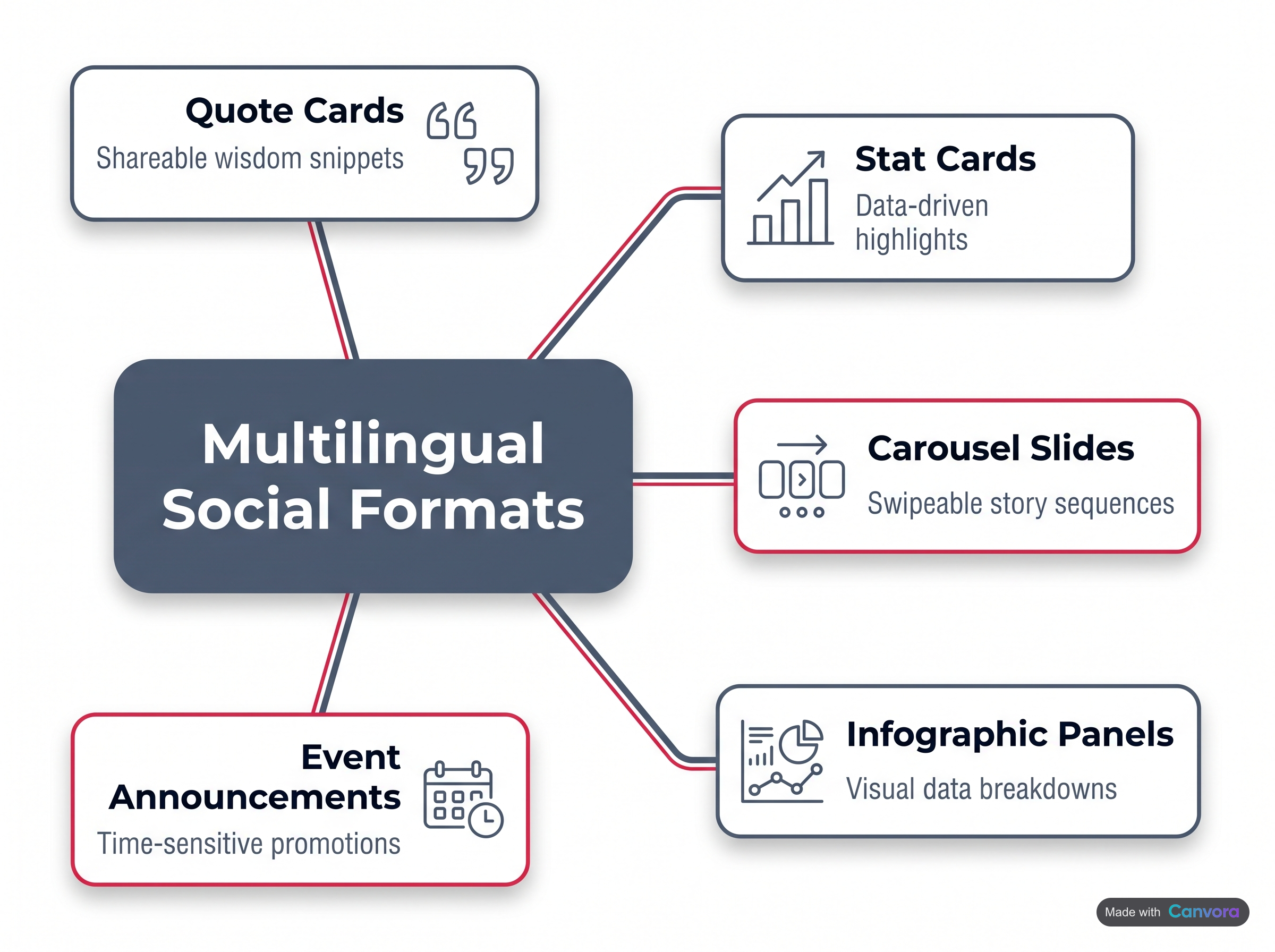
A multilingual social media graphic is any platform-ready visual – quote card, stat card, carousel slide, infographic panel, or event announcement – where the text content has been rendered in the audience's native language while the layout, brand colors, and visual hierarchy stay consistent. The most common formats include: quote cards that reproduce a brand or motivational statement in Spanish, Arabic, Hindi, or Brazilian Portuguese, with typography chosen to handle each script's character density and directionality; stat cards that surface a region-specific data point – say, a French-language figure for an EMEA campaign – within the same visual frame used for the English version; tip cards in Japanese or Korean where CJK-compatible fonts replace Latin typefaces without breaking the grid; LinkedIn carousels of up to 10 slides built for a DACH audience in German; Instagram carousels that walk through a product story in Brazilian Portuguese across up to 10 slides; and single-visual event or launch announcements where the date, headline, and CTA are localized into five or more languages for a coordinated global rollout.
Five core formats for multilingual social campaigns.
A multilingual social media graphic is any platform-ready visual – quote card, stat card, carousel slide, infographic panel, or event announcement – where the text content has been rendered in the audience's native language while the layout, brand colors, and visual hierarchy stay consistent. The most common formats include: quote cards that reproduce a brand or motivational statement in Spanish, Arabic, Hindi, or Brazilian Portuguese, with typography chosen to handle each script's character density and directionality; stat cards that surface a region-specific data point – say, a French-language figure for an EMEA campaign – within the same visual frame used for the English version; tip cards in Japanese or Korean where CJK-compatible fonts replace Latin typefaces without breaking the grid; LinkedIn carousels of up to 10 slides built for a DACH audience in German; Instagram carousels that walk through a product story in Brazilian Portuguese across up to 10 slides; and single-visual event or launch announcements where the date, headline, and CTA are localized into five or more languages for a coordinated global rollout.
Quote cards are the simplest entry point. A single brand statement – "Growth starts with clarity" – rendered in Spanish, Arabic, Hindi, and Portuguese produces four distinct audience-native assets from one piece of copy. Arabic requires right-to-left text flow and a font that handles connected script; Hindi needs Devanagari-compatible typefaces; Portuguese and Spanish share Latin character sets but differ in line length and punctuation conventions. The visual layout stays identical. Only the text layer changes.
Stat cards localize the data, not just the language. A global SaaS company running an EMEA campaign might publish the same card design with a UK figure in English, a DACH figure in German, and a French market figure in French – each card speaking directly to what that audience cares about regionally.
Tip cards and how-to cards in CJK scripts (Chinese, Japanese, Korean) require particular attention to font selection. CJK characters are denser than Latin glyphs, so body text sizing and line spacing that works in English will feel cramped in Japanese. A "5 tips" card in Korean needs a font that renders Hangul cleanly at small sizes – Unicode coverage matters here.
LinkedIn carousels for a DACH audience benefit from the formality that German-language professional content expects. A 10-slide thought-leadership deck in German, with the same brand kit applied across every slide, signals to DACH readers that the content was made for them – not machine-translated as an afterthought.
Instagram carousels in Brazilian Portuguese follow a different register: warmer, more conversational, often with shorter sentences and more expressive punctuation. A product story told across up to 10 slides in pt-BR, with visuals matched to the brand's color palette, performs differently from the same story in European Portuguese – the audience notices.
Event and launch announcements are where multilingual graphic production at scale becomes operationally visible. A single product launch might require one visual – date, headline, CTA – localized into Arabic, French, Hindi, Spanish, and English simultaneously. Five versions of the same asset, each audience-native, shipped before the launch window closes.
Multilingual Social Media Graphics Ideas for Different Industries
 Industry-specific strategies for multilingual social content.
Every industry has a different reason to go multilingual – and a different audience waiting on the other side of the language gap.
Industry-specific strategies for multilingual social content.
Every industry has a different reason to go multilingual – and a different audience waiting on the other side of the language gap.
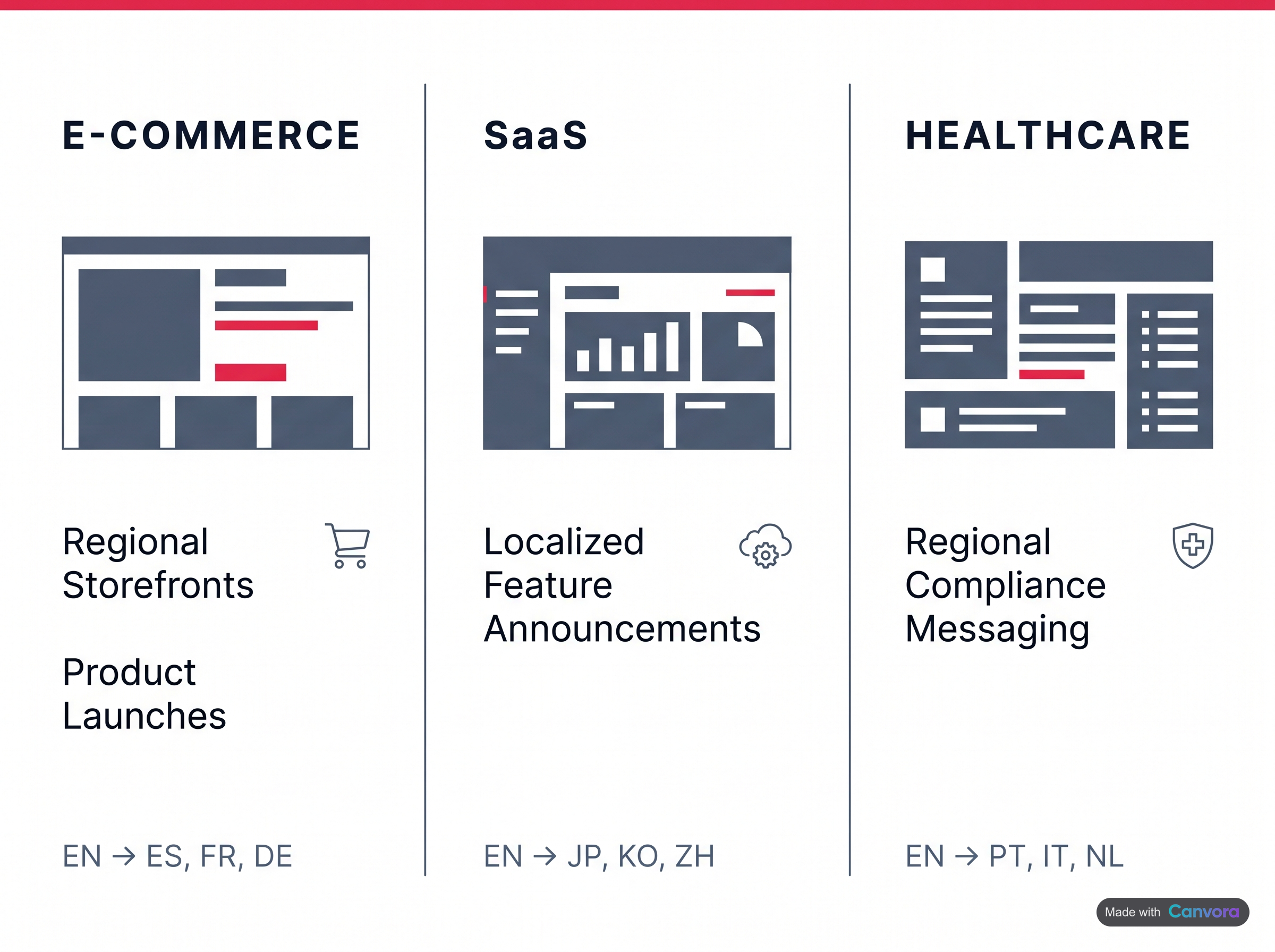
E-commerce brands running regional storefronts can generate product benefit cards in English, Spanish, French, and German from a single product description. Each card lands in the buyer's language before they've had to ask a question.
SaaS and tech companies expanding into Southeast Asia often skip localization because it feels expensive. A feature announcement carousel in Bahasa Indonesia or Thai – localized from the same English release note – changes that calculus fast.
Education and e-learning platforms have an underserved opportunity in Hindi and Swahili, where mobile-first learners are growing rapidly but localized course promotion is thin. A single course brief can become graphics that actually reach those audiences.
Hospitality and travel brands targeting outbound Chinese and Japanese travellers need destination content in Mandarin and Japanese – not just translated text, but visuals that feel native to those markets.
Non-profits and NGOs running regional awareness campaigns can produce Arabic or Amharic visuals without a local design team.
Agencies get the clearest efficiency gain: one client brief, three languages, a full social set – without tripling the production hours.
Why Multilingual Design Is Harder Than It Looks
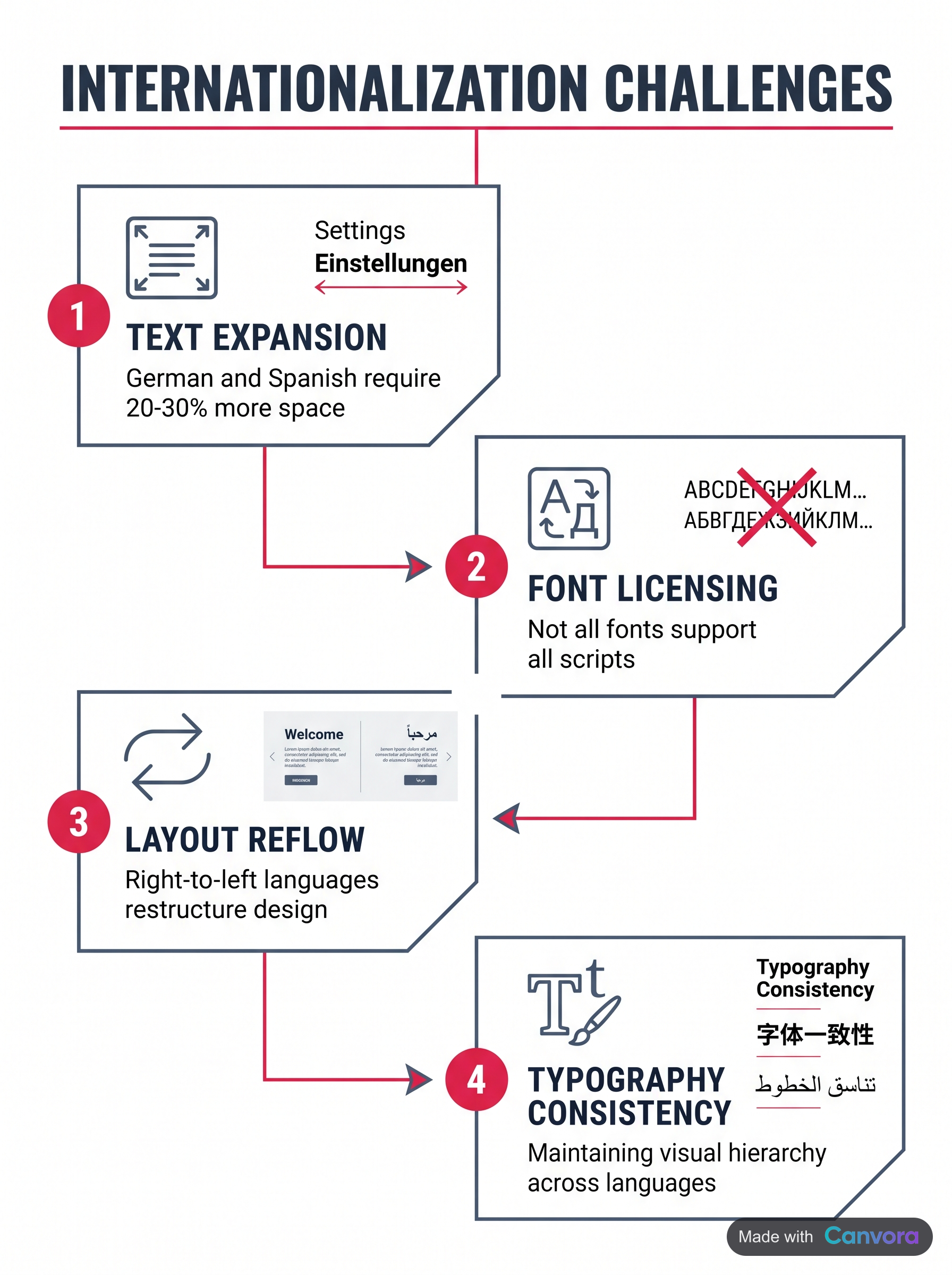 The hidden complexity behind multilingual graphics.
Multilingual graphic design looks like a translation problem. It's actually a layout problem, a typography problem, and a font licensing problem – all at once.
The hidden complexity behind multilingual graphics.
Multilingual graphic design looks like a translation problem. It's actually a layout problem, a typography problem, and a font licensing problem – all at once.
Start with text expansion. German and Finnish routinely run 30–40% longer than their English equivalents. A headline that fits neatly in a 400px card in English spills onto a third line in German, or forces a font size reduction that breaks the visual hierarchy entirely. Fixed-width social formats – Instagram squares, LinkedIn carousels, Pinterest pins – have no tolerance for this.
RTL scripts compound the difficulty. Arabic and Hebrew don't just need a different font; they need mirrored layout logic. Text alignment, reading direction, icon placement, and even punctuation anchoring all flip. Swapping a font and hitting "translate" produces something that looks wrong to any native reader.
CJK characters – Chinese, Japanese, Korean – require dedicated font families with full glyph coverage. Load a standard Latin font and those characters render as empty boxes. Font licensing adds another layer: many premium typefaces cover Western European scripts and nothing else.
The practical result is that producing the same graphic in five languages inside Canva or Adobe Express means five separate files, five rounds of layout adjustments, and five opportunities for something to break. Most teams quietly give up and publish English-only – even when a significant share of their audience isn't reading in English.
How Canvora Handles Multilingual Content Generation
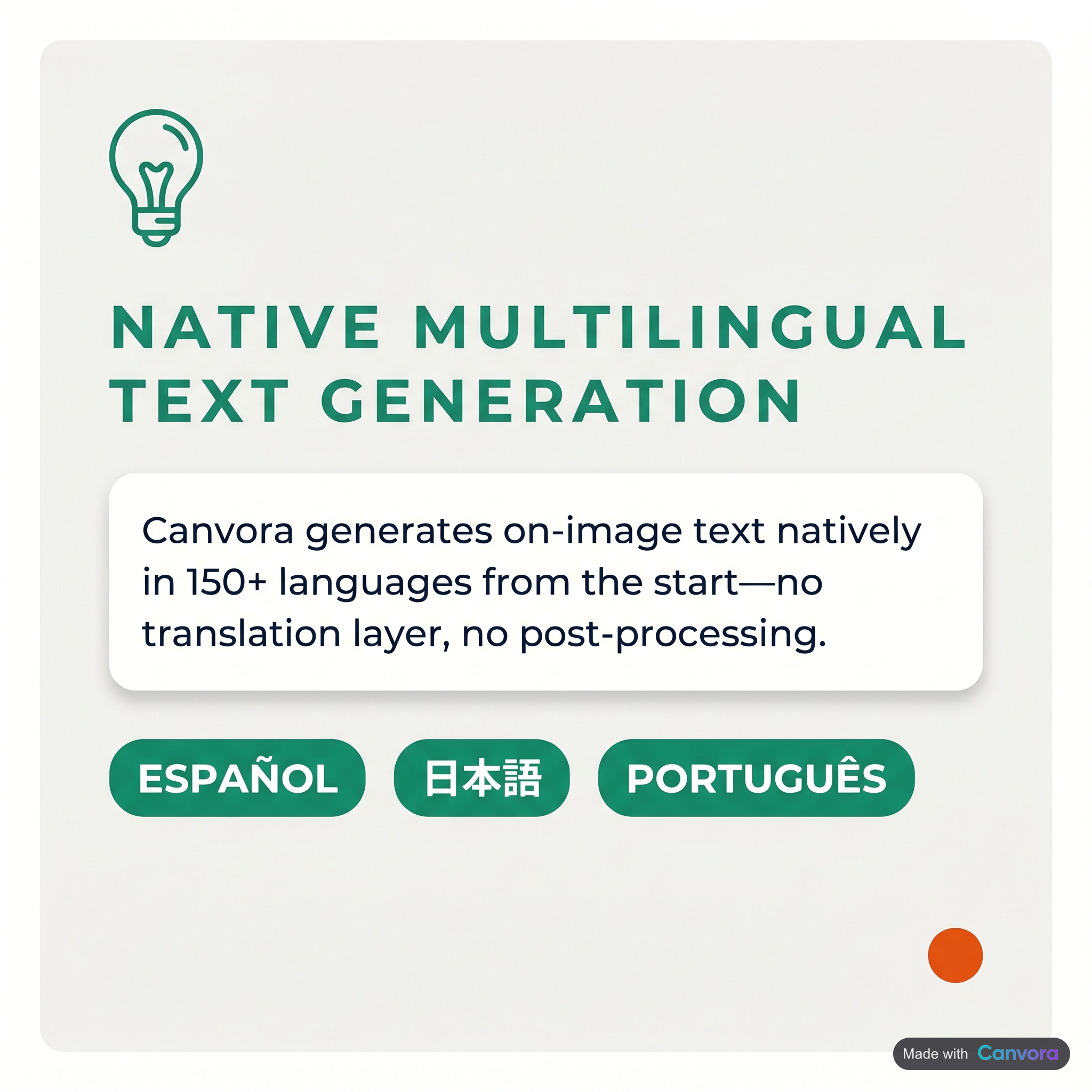 Native language generation–no translation delays.
Canvora generates on-image text natively in 150+ languages – the copy on each visual is created in the target language from the start, not run through a translation layer afterward. The language setting controls what actually appears on the generated visuals: headlines, body copy, captions, stat labels. Feed it a blog URL, a PDF, a Word document, or plain text, specify the target language, and Canvora handles layout and copy together in a single pass. That matters because text length varies significantly across languages – German expands, Chinese compresses, Arabic runs right-to-left – and the layout adapts accordingly rather than forcing you to fix overflow or reflow manually. All 8 visual styles (modern, minimal, bold, elegant, playful, corporate, creative, dark) apply consistently regardless of which language is active. Brand kits carry through automatically: logo placement, color palette, and typography are applied to every language variant without re-configuration.
Native language generation–no translation delays.
Canvora generates on-image text natively in 150+ languages – the copy on each visual is created in the target language from the start, not run through a translation layer afterward. The language setting controls what actually appears on the generated visuals: headlines, body copy, captions, stat labels. Feed it a blog URL, a PDF, a Word document, or plain text, specify the target language, and Canvora handles layout and copy together in a single pass. That matters because text length varies significantly across languages – German expands, Chinese compresses, Arabic runs right-to-left – and the layout adapts accordingly rather than forcing you to fix overflow or reflow manually. All 8 visual styles (modern, minimal, bold, elegant, playful, corporate, creative, dark) apply consistently regardless of which language is active. Brand kits carry through automatically: logo placement, color palette, and typography are applied to every language variant without re-configuration.
From a single input, one generation run can produce up to 15–20 platform-ready visuals across formats – quote cards, stat cards, LinkedIn carousels, Instagram carousels, Pinterest pins – all in the target language, all on-brand. Repeat the run for a second language and the same brand kit governs both outputs. No designer required at any step.
Step-by-Step: Creating a Multilingual Social Set with Canvora
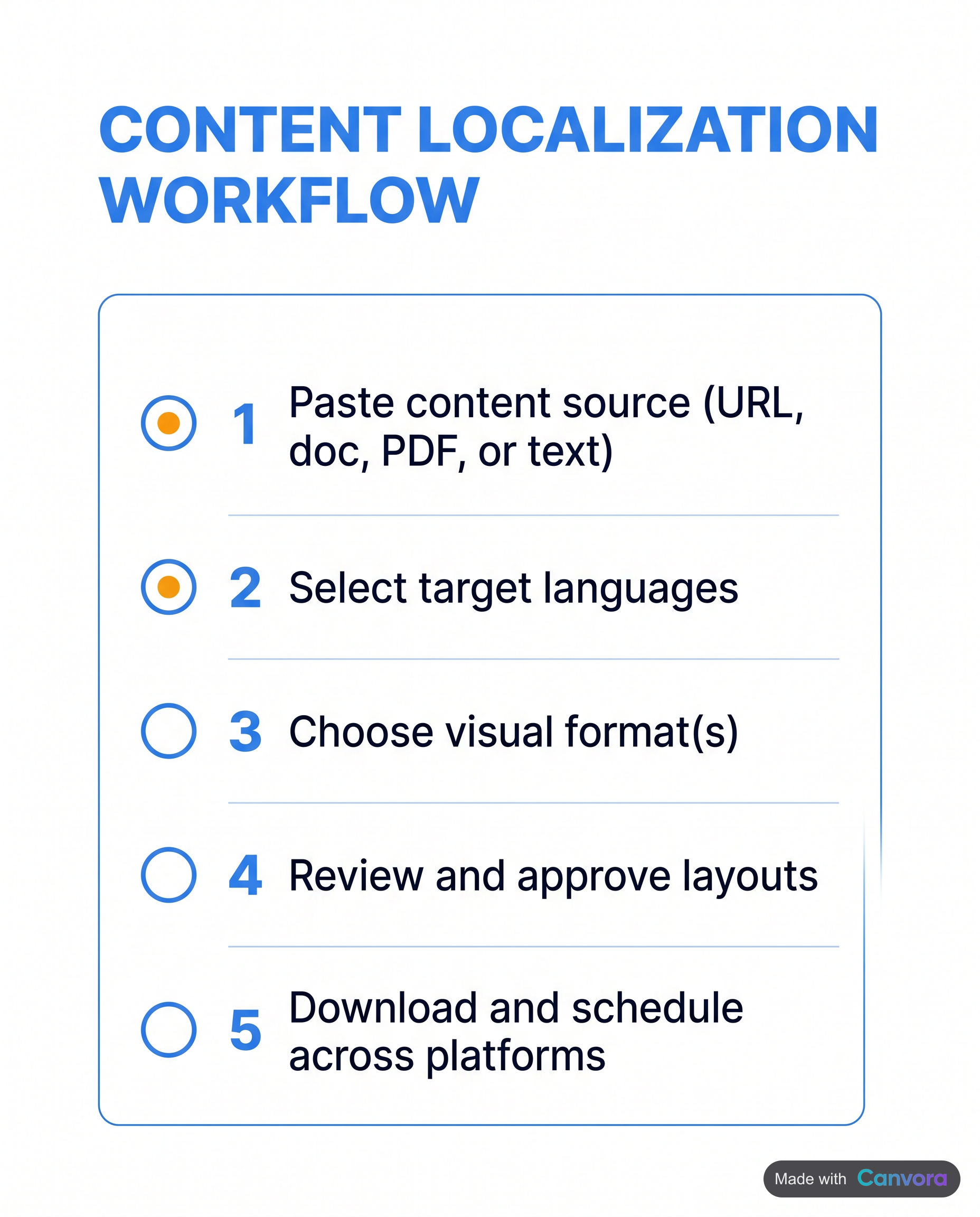 From input to publish in five steps.
Paste your content – a blog URL, a Word doc, a PDF, or even a raw paragraph – into Canvora. That's the entire input step. No reformatting, no copy-paste gymnastics across tools.
From input to publish in five steps.
Paste your content – a blog URL, a Word doc, a PDF, or even a raw paragraph – into Canvora. That's the entire input step. No reformatting, no copy-paste gymnastics across tools.
From there, select your target language or languages from the 150+ options available for content generation. Pair that with one of the eight visual styles (modern, minimal, bold, elegant, playful, corporate, creative, dark) that fits the campaign.
Before generation runs, apply your brand kit. Logo, colors, and fonts lock in at this stage, so every visual that comes out is already on-brand – no post-generation cleanup required.
Canvora then generates up to 15–20 platform-ready visuals across formats in about a minute: quote cards, stat cards, tip cards, LinkedIn and Instagram carousels, and more, all in the language you specified.
Once the set lands, open the Visual Editor to adjust text directly on any visual – change a headline, swap body copy, resize a font. Or type a natural-language command: make the headline larger, use a warmer background. Either approach works.
When the set looks right, export. PNG, PDF, or PPTX are all available; Starter plan and above unlocks up to 4K resolution. Download individually or grab everything as a ZIP and move straight to publishing.
Multilingual Carousels: LinkedIn, Instagram, and Beyond
Carousels are the highest-engagement static format on almost every major platform – and for multilingual campaigns, they carry an extra advantage: the slide-by-slide structure naturally accommodates translated copy without forcing a redesign. A 10-slide LinkedIn carousel localized for DACH audiences reads exactly like a native German-language thought-leadership piece when the typography, layout, and visual hierarchy are consistent across every slide. The same logic holds for LATAM Spanish on Instagram or Bahasa Indonesia on TikTok.
Canvora generates carousels up to 10 slides on LinkedIn, Instagram, Facebook, Threads, and TikTok – all in the target language, with the brand kit applied automatically across every slide. There is no per-slide manual work. Paste a blog post or a product brief, specify the language, and the carousel comes back formatted and copy-ready.
The export path matters too. LinkedIn carousels upload as PDFs or PPTX files; Instagram and TikTok carousels go up as individual images. Canvora exports as PPTX or a PNG ZIP, so the file is already in the right format for the platform – no conversion step, no extra editing pass.
For teams running campaigns across three or four regional markets simultaneously, that combination – consistent brand kit, language-specific copy, correct export format – removes most of the friction that makes multilingual carousel production slow.
Scaling Multilingual Content: From One Input to a Full Campaign
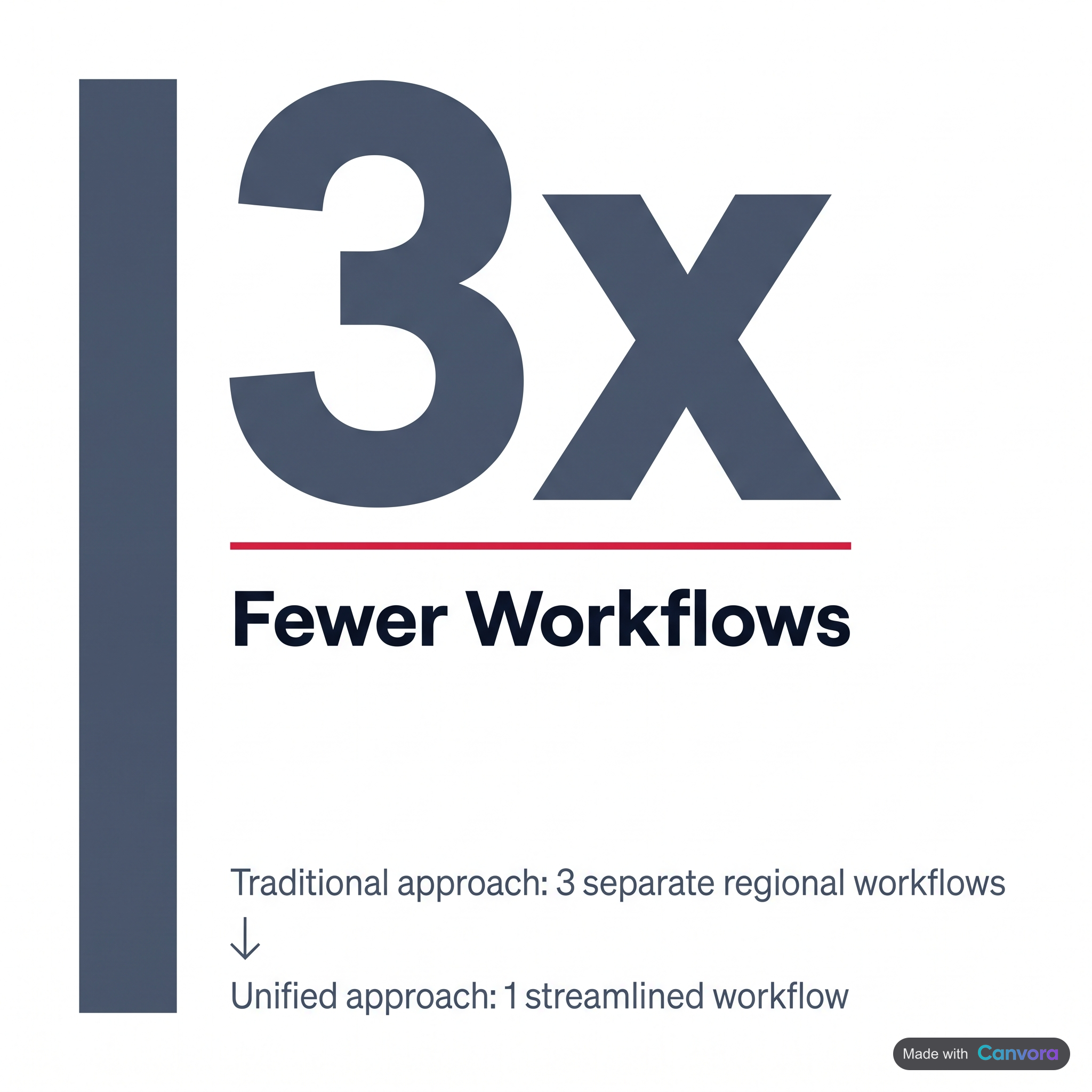 Scale to three markets without tripling your workload.
The math on multilingual content usually breaks down here: three markets means three separate design workflows, three rounds of feedback, and either a local designer in each region or a very tired one in the middle. Canvora changes that ratio.
Scale to three markets without tripling your workload.
The math on multilingual content usually breaks down here: three markets means three separate design workflows, three rounds of feedback, and either a local designer in each region or a very tired one in the middle. Canvora changes that ratio.
Paste a blog post URL once. Run three separate generations – one each in Spanish, French, and Brazilian Portuguese – and each produces up to 15–20 platform-ready visuals: quote cards, stat cards, LinkedIn and Instagram carousels, Pinterest pins, all carrying the same layout logic but the right language for each audience. The content is localized; the effort isn't multiplied.
For agencies, the workflow compresses further. A single client brief becomes localized social sets for DACH, LATAM, and SEA without hiring regional designers. Each market's brand kit – logo, colors, fonts – lives in its own preset on the Business plan, where brand kits and design style presets are both unlimited. No cross-contamination between clients or regions.
Team structure follows the same logic. Pro workspaces support up to three workspaces with ten members each; Business opens that to unlimited. Regional teams share credit pools and brand kits without stepping on each other's work.
For teams running content pipelines at volume, API access (included on all plans) lets you feed source content programmatically and pull localized visuals out the other side – no manual generation steps required. And on any plan, including Free, MCP integration means multilingual visuals can be generated directly inside a Claude or ChatGPT conversation, without switching tools at all.
Canvora Pricing for Multilingual Content Teams
Four plans, one credit economy. Every visual – whether it's a single quote card or one slide in a 10-slide LinkedIn carousel – draws from the same credit pool: 10 credits per single image, 15 credits per carousel or presentation slide, 3 credits per image edit.
Free gives you a one-time 150-credit signup bonus with no monthly renewal, watermarked outputs at 2K resolution, and 1 brand kit. It's enough to run the workflow end to end and see what the output looks like – not enough for a production campaign.
Starter ($19/mo) steps up to 1,000 credits per month, 1 brand kit, 1 design style preset, 4K resolution exports, and a single workspace for up to 3 members. A reasonable entry point for solo creators or small teams publishing in one or two languages.
Pro ($49/mo) is where multilingual teams find their footing: 3,000 credits per month, 5 brand kits, 5 design style presets, 3 workspaces supporting up to 10 members each, and API access for programmatic generation. A team producing 15–20 visuals per week across three languages sits well within that ceiling.
Business ($99/mo) removes the caps entirely – 7,000 credits per month, unlimited brand kits, unlimited design style presets, unlimited workspaces, and API access. Built for agencies or in-house teams running parallel campaigns across multiple markets and languages simultaneously.
Frequently Asked Questions
Q: What is the 5-5-5 rule for social media?
The 5-5-5 rule is an informal content-mix guideline: post 5 pieces of original content, share 5 pieces from others, and engage with 5 other accounts' posts per publishing cycle. The intent is to balance self-promotion with community participation. It is not an official platform standard – different practitioners adjust the ratios based on their audience, channel, and goals. Treat it as a starting framework, not a fixed formula.
Q: What are social media graphics examples?
Social media graphics include quote cards, stat cards, tip cards, event announcements, product promotion images, infographics, LinkedIn carousels, Instagram carousels, blog header images, OG images, and Pinterest pins. Multilingual versions of these formats carry the on-image text in the audience's native language – not just the post caption – making the visual itself locally relevant. Canvora generates all of these across 100+ output formats, from a single piece of source content.
Q: What is the 5-3-2 rule for social media?
The 5-3-2 rule is a content-mix framework: for every 10 posts, 5 should be curated content from others relevant to your audience, 3 should be original educational or informational content you created, and 2 should be personal or brand-humanizing posts. The goal is to avoid an overly promotional feed. Like most social media rules of thumb, it is a starting point rather than a rigid formula – adjust the ratios to fit your channel and audience.
Q: What is the 4-1-1 rule in social media?
The 4-1-1 rule, associated with B2B social media strategy and originally linked to LinkedIn, suggests that for every 6 posts: 4 should be educational or entertaining content from others, 1 should be a soft promotion such as a thought-leadership piece you wrote, and 1 should be a direct promotional post. The intent is to keep brand feeds from reading like advertising channels. As with similar frameworks, it is a guideline – not a platform policy.
Q: How many languages does Canvora support for content generation?
Canvora supports content generation in 150+ languages. This means the text appearing on your generated visuals – headlines, body copy, CTAs – can be produced in the target language from the start. The 150+ languages figure applies to the content on the visuals. For teams producing social graphics for non-English markets without a local designer, the visual itself speaks the audience's language, not just the caption.
Q: Can I create multilingual carousels for LinkedIn and Instagram with Canvora?
Yes. Canvora generates carousels for LinkedIn, Instagram, Facebook, Threads, and TikTok – each up to 10 slides – with on-image text in any of 150+ supported languages. Paste your source content, select the target language and visual style, apply your brand kit, and Canvora produces the carousel. Export as a PNG ZIP for Instagram or PPTX for LinkedIn. No per-slide manual layout work is required.
Q: What is the difference between translating a caption and creating a multilingual graphic?
Translating a caption changes the text in the post description but leaves the visual itself in the original language. A multilingual graphic has the target language built into the image – the headline, body copy, and CTA on the visual are all in the audience's language. This matters because most social platforms display the image before the caption. An English-language graphic shown to a Spanish-speaking audience still reads as foreign content, even if the caption underneath is fully translated.
Q: Do I need a designer to produce multilingual social media graphics?
Not with an AI generation tool like Canvora. Provide the source content – a URL, PDF, Word doc, or plain text – select a target language from 150+ options, choose a visual style, and apply your brand kit. Canvora generates up to 15–20 platform-ready visuals across formats in about a minute. Natural-language editing lets you adjust layouts after generation without opening a separate design tool. Starter plan and above produce 4K-resolution, watermark-free outputs.
Q: Which plan do I need for API access to generate multilingual visuals programmatically?
API access is included on all plans, including Free. Pro ($49/mo) includes 3,000 credits/month and 5 brand kits; Business ($99/mo) includes 7,000 credits/month and unlimited brand kits. MCP integration with Claude and ChatGPT is also available on all plans including Free – no API key needed, just OAuth authorization that takes about 2 minutes to set up.
Q: How does Canvora handle scripts like Arabic or CJK in generated visuals?
Canvora's content generation covers 150+ languages, including Arabic, Hebrew, Chinese, Japanese, and Korean. When you select one of these languages, the on-image text is produced in that script – font rendering and layout for complex scripts are managed within the generation engine. For highly specialized RTL layout requirements, reviewing the output in the Visual Editor after generation is the recommended step before export.
Tools mentioned in this article:
For your team / role:
Create visuals in 150+ languages
Generate the same post natively in English, Spanish, Arabic, Hindi and more — not translated after the fact. On brand, in a minute.
Free to start · 150 credits, no card · 150+ languages