A clear cover in one step
TikTok Cover Maker
Make a TikTok cover that gets the tap: a 1080 × 1920 cover image with a bold title, made from one sentence. Free to start, ready to upload.
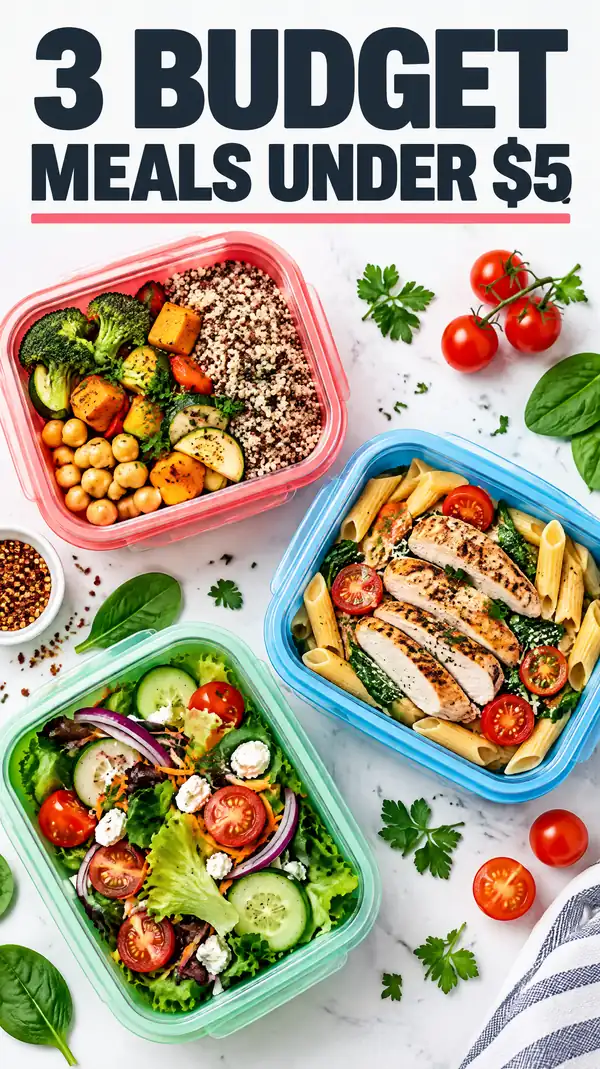

Real designs, not mockups.
Made with Canvora
Real designs, not mockups.
From Content to TikTok Cover
Chat with AI or drop your content and get professional tiktok cover instantly
Visual Assistant
Create visuals instantly
Document
PDF, Word, Text
URL
Blog, Article, Page
Text
Paste content
TikTok Cover
9:16
Create with Visual Assistant
Describe what you need and watch AI create professional TikTok Cover for you
Visual Assistant
From idea to professional design, effortlessly
Describe what you want to create
AI researches, writes, and designs
Download your TikTok Cover
From Idea to Visual
Watch how Canvora creates professional visuals from any content — the same workflow powers every format including TikTok Cover
TikTok Cover
Custom video thumbnails that replace TikTok's auto-generated frames. Designed for profile grid cohesion and tap-through optimization.
Works great with
A clear cover in one step
Describe the video in a sentence. Canvora designs a 9:16 cover with a short, bold title that stays readable on the For You page and your profile.
Perfect For
See how different professionals use TikTok Cover
Content Creators
Every video with an intentional, optimized cover
Brand TikToks
Professional presence matching your brand identity
Educational Series
Numbered series covers that show content depth
Product Content
Polished product showcases and demos
Service Providers
Authority-building content with cohesive branding
Content Ideas
Not sure what to create? Start with these proven formats
What is a TikTok cover?
A TikTok cover is the image people see before your video plays: on your profile grid, in search results and when someone shares your video. By default TikTok uses a frame from the video, which is often blurry or mid-movement. A designed cover tells people what the video is about in one glance, and keeps your profile looking consistent.
TikTok cover size
Make TikTok covers at 1080 × 1920 pixels (9:16), the same vertical shape as the video. Your profile grid shows a shorter preview of each cover, cut from the middle, so:
- Put the title in the middle third of the image, not at the very top or bottom.
- Keep the title short, three to six words, in large type.
- Leave the edges clear of anything important; TikTok's buttons and captions sit over the sides and bottom when the video plays.
How to make a TikTok cover
- Describe the video in one sentence, with the title you want on the cover: for example "cover for a day-in-my-life video as a night nurse, title Day in my life as a night nurse".
- Pick a style, or use your brand kit so every cover matches.
- Download the cover at 1080 × 1920 and add it when you post: tap Edit cover before publishing. Depending on your version of the app, you can upload an image there or choose a frame from your video.
TikTok cover ideas
- "Day in my life as…" with a photo of you at work
- Recipe videos with the finished dish and the time it takes
- Tutorials with the result and a number: "5 Spanish words you're saying wrong"
- Before-and-after makeovers, with both halves visible
- A series look: the same layout and colours for every episode, so your grid reads as one channel
Frequently asked questions
What size should a TikTok cover be?
1080 × 1920 pixels, a 9:16 vertical image, the same shape as the video.
Why does my TikTok cover look cropped on my profile?
The profile grid shows a shorter preview of each cover, cut from the middle. Keep your title in the middle third and it stays visible.
Is the TikTok cover maker free?
You can start free: a new account gets free credits to start, no card required, and each cover uses 10 credits.
Can I make covers for YouTube Shorts and Reels too?
Yes. They use the same 9:16 shape; see the YouTube Shorts thumbnail maker and the Instagram Reel cover maker.
Pair With These Templates
Maximize your reach by creating matching content across formats
Related Tools
Facebook Carousel Maker
Create engaging Facebook carousels that drive engagement. Multi-slide posts perfect for storytelling and showcases.
Facebook Graphics Generator
Create scroll-stopping Facebook posts, stories, and cover photos. Optimized graphics for maximum engagement on the world's largest social network.
Facebook Reel Cover Maker
Create scroll-stopping Facebook Reel covers. AI-designed thumbnails that boost views and engagement.
Ready to create TikTok Cover?
AI transforms your content into professional visuals. No design skills required.
Free plan includes credits to start • No credit card required