Canvora × nanoclaw
On-brand visuals CLI for nanoclaw
nanoclaw keeps the agent loop minimal — Canvora keeps the tool surface minimal to match: one env var, one command in, finished branded visuals out.
Free credits, no card required. Keep a human in the loop — anything your agent makes can be hand-finished in the Visual Editor.
The whole setup
# Install the skills (or use the CLI bare - both work)
npx skills add canvora/canvora-mcp

# Auth is one env var
export CANVORA_API_KEY=vd_...

# Smoke test
canvora credits --json
This is what your agent ships
One generation, localized twice. Same design, natively re-composed in Spanish and Arabic — right-to-left done correctly, not mirrored English.
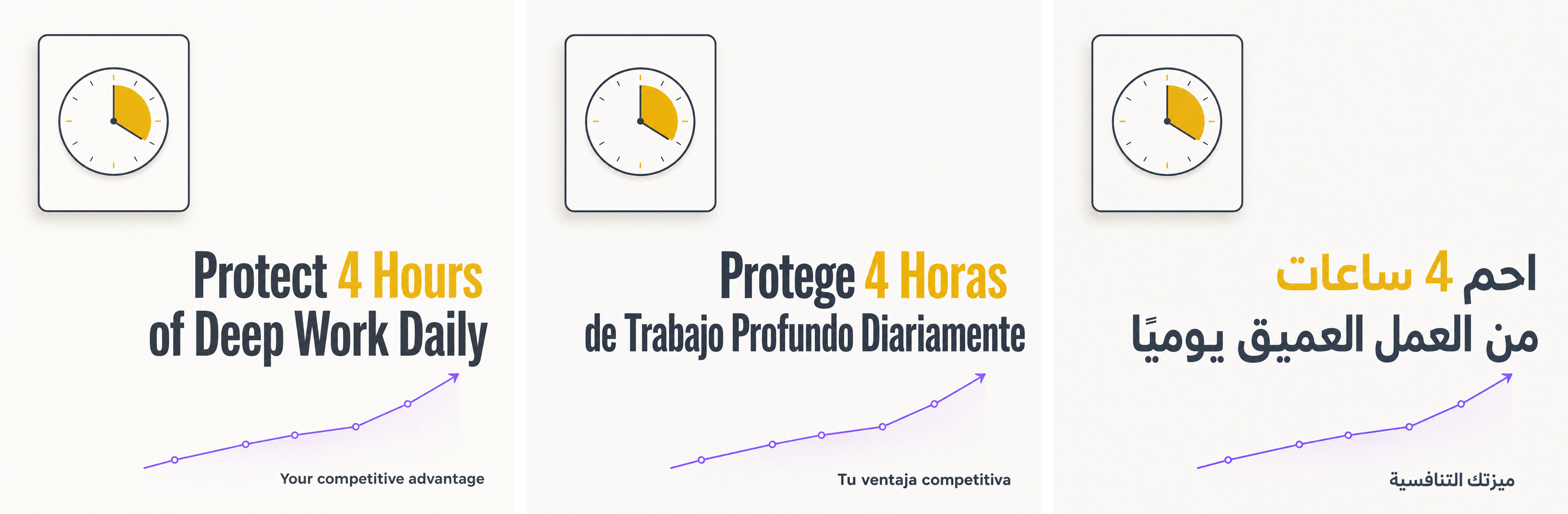
Generated with the same commands shown on this page.
How it works
1. Fire
First stdout line is the bare generation id
ID=$(canvora generate \
  --input "Three habits of highly effective remote teams..." \
  --format instagram_post --style minimal | head -1)
2. Poll
Cheap status checks until completed
while true; do
  S=$(canvora status "$ID" --json | jq -r .status)
  [ "$S" = "completed" ] && break
  [ "$S" = "failed" ] && exit 1
  sleep 10
done
3. Deliver
Files or CDN URLs, whichever the loop needs
canvora download "$ID" --dir out/
canvora status "$ID" --json | jq -r '.outputs[].fileUrl'
What is nanoclaw?
nanoclaw is the minimal take on the personal AI agent: a tiny, auditable core loop that leans on well-behaved external tools instead of built-in complexity. Canvora fits that philosophy — the entire visual pipeline is four commands.
Tiny surface
generate, status, download — the essential loop is three commands. Everything prints JSON with --json; progress goes to stderr, results to stdout.
No state to manage
No sessions, no SDK, no config files. The API key comes from the environment; generation ids are plain strings your loop passes around.
Fails safe
Balance is checked before any deduction, errors are typed JSON, and failed generations refund automatically — a minimal loop can't silently drain anything.
The entire agent tool, one screen
This is the whole integration — no wrapper library
#!/bin/sh
# nanoclaw tool: text -> branded instagram post -> file URL
ID=$(canvora generate --input "$1" \
  --format instagram_post --brand "$BRAND_ID" | head -1)
until [ "$(canvora status "$ID" --json | jq -r .status)" = "completed" ]
do sleep 10; done
canvora status "$ID" --json | jq -r '.outputs[0].fileUrl'
Add languages without adding code
The same minimal loop covers every market
# One extra command localizes the finished visual -
# same design, natively re-composed text:
canvora localize "$ID" --language tr
canvora localize "$ID" --language ar   # correct RTL, not mirrored
Why nanoclaw + Canvora
- Three-command core loop: generate, status, download
- stdout is data, stderr is progress — pipes compose cleanly
- No SDK, no session, no config: one env var and plain strings
- Typed JSON errors and pre-deduction balance checks — safe in unattended loops
- localize and variations extend the loop without new integration code
Command reference
Add --json to any command for machine-readable output. Progress goes to stderr, results to stdout.
| Command | Description |
|---|---|
| canvora generate | Create visuals from --idea, --input text, --url or --file-url; pick formats, brand, style, language |
| canvora status <id> | Check a generation; --json returns status and output file URLs |
| canvora download <id> | Save output files to a directory |
| canvora localize <id> | Same design, natively re-composed in another language (RTL included) |
| canvora variations <id> | Alternate takes on a finished generation |
| canvora edit <outputId> | Revise one visual with a natural-language instruction |
| canvora formats | List all 100+ format ids |
| canvora brands | List brand kits (colors, fonts, logo, tone) |
| canvora credits | Show credit balance |
100+ formats, one engine
Every format has platform-correct composition and safe zones — your agent picks by id.
Instagram Carousel
Up to 20 slides, hook to CTA
LinkedIn Carousel
Swipeable document posts
Pitch Deck
Coherent multi-slide sets
Instagram Post & Story
Feed and vertical formats
Stat Card
One number, designed to land
Infographic
Data and process visuals
Blog Header & OG Image
The launch surface
Ad Creatives
Display and social ads
FAQ
Why is generation asynchronous? +
Visual generation is real work; a blocking call would tie up the agent loop and time out shells. Fire the job, capture the id from stdout, poll status. The pattern is three lines of sh, shown above, and it never stalls.
What does each call cost? +
Flat credits: 10 per single visual, 15 per carousel or deck slide. canvora credits --json returns the balance; a request that exceeds it fails before any deduction with the exact shortfall in the error.
What if the loop dies mid-generation? +
Nothing is lost: the generation continues server-side and the id remains queryable. If it fails, credits refund automatically. Re-running the script starts a new, separate job — so persist the id if you want to resume instead.
Is there anything to install besides the CLI? +
No. @canvora/cli is a plain Node binary; jq in the examples is optional sugar. The skills install adds ready-made workflows on top, but the bare CLI is fully capable.
Also works with
Your agent's next tool call is a design department.
Create a free account, set one key, and let nanoclaw ship on-brand visuals.