Best AI Tool for Social Media Graphics in Spanish, Arabic, and Other Languages (2026)
Which AI tools actually design social media graphics in Spanish, Arabic, Hindi, Turkish and 150+ other languages – and which just translate an English template. Honest comparison, facts checked August 2026.
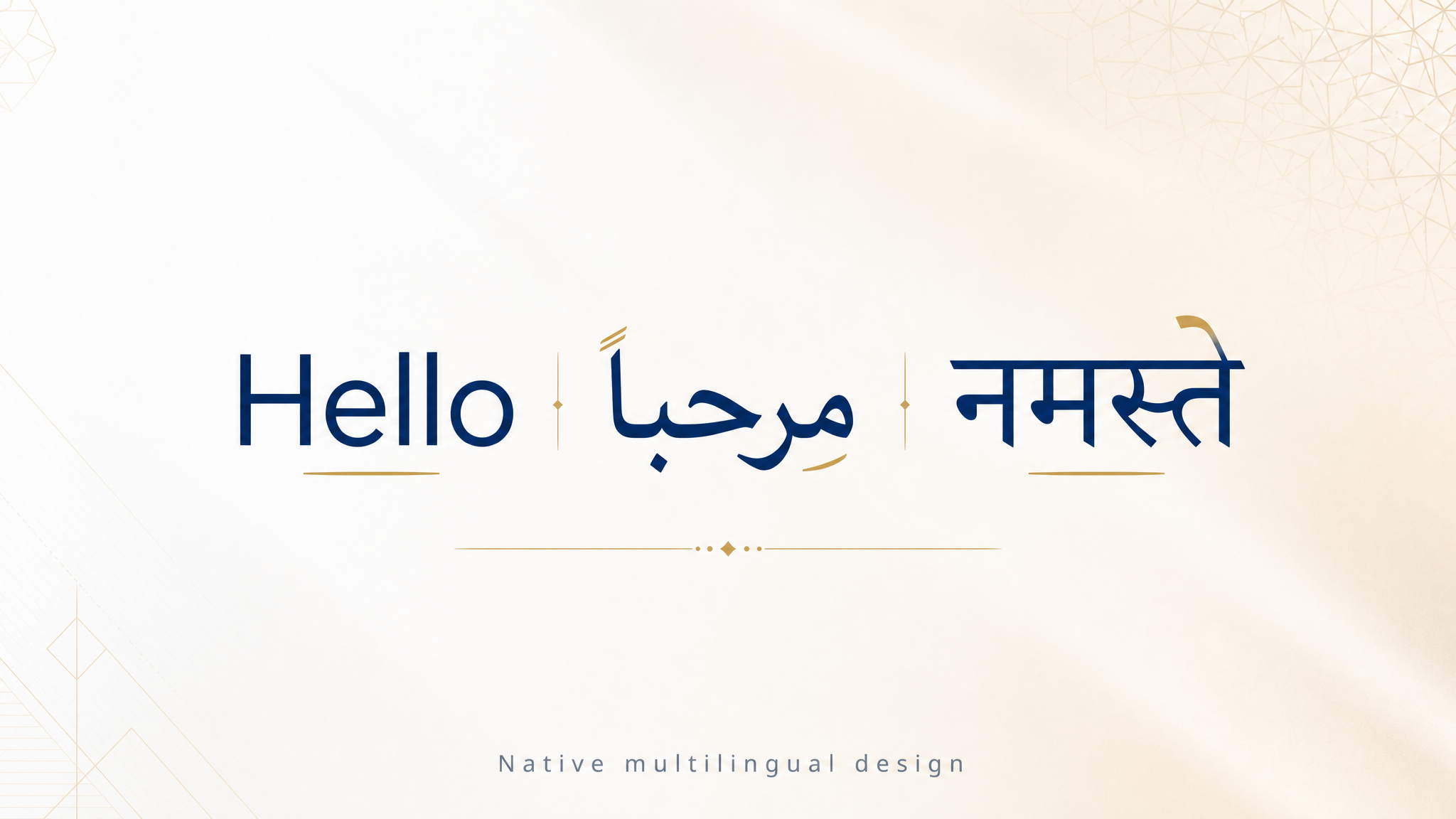
On this page
If you create social media content in Spanish, Arabic, Hindi, Turkish, Portuguese, or any language other than English, the honest answer in 2026 is: most AI design tools were built for English and translate everything else. Canvora is the tool in this comparison that designs natively in the target language – typography, layout and copy composed for that language from the start, in 150+ languages including right-to-left scripts. Canva is the best pick if you want a huge template library and are willing to fix layouts after translating. Predis is worth a look if your priority is caption-plus-image posting volume rather than design quality. Full disclosure up front: this guide is written by the Canvora team – which is exactly why every claim about other tools below links to their own pages, and why we tell you plainly where they beat us.
TL;DR
- "Supports 100 languages" usually means captions, not design. Most tools translate text into an English-shaped layout. Text overflows, fonts fall back, RTL breaks.
- The test that matters: generate a post in your language and look at three things – does the text fit the layout, is the typography real (not a fallback font), and does RTL flow right-to-left if applicable.
- Canvora designs natively in 150+ languages (including Arabic/Hebrew RTL) and can localize an existing visual into another language while keeping the design. Free plan to start.
- Canva translates existing designs (Translate, 100+ languages by its own count) with the biggest template library in the industry – but free accounts get exactly one translation, and Canva's default is to shrink text that runs longer than the English original.
- Predis.ai generates posts with captions in 18+ languages and is built for scheduling volume; design control is thinner.
- If your market is LATAM, MENA, Turkey, Brazil or India, this choice matters more than any other feature comparison.
Why "supports your language" is usually a false claim
There are three ways a design tool can fail your language, and a language-count on a pricing page catches none of them:
- Text length. Spanish runs roughly 15–25% longer than English; German longer still; Chinese much shorter. A layout composed for an English headline breaks when the same slot receives "herramientas de automatización" – the text shrinks to fit, wraps badly, or overflows the safe zone.
- Script direction. Arabic and Hebrew read right-to-left. Correct RTL design doesn't just align text right – the entire visual hierarchy mirrors: the eye enters from the top-right, lists flow right-to-left, and directional icons flip. A translated LTR template with right-aligned Arabic text reads as broken to every native speaker.
- Typography. The display font that makes an English template look premium frequently has no Devanagari, Arabic, or even full Turkish glyph coverage (İ/ı, Ş/ş, Ğ/ğ). The tool silently substitutes a fallback font, and your "on-brand" visual ships in system-default type.
Translation-layer tools inherit all three problems because the design decisions were made before your language entered the picture. Native generation avoids them because the layout is composed for the text that will actually appear.
Here is what that looks like in practice – the same visual, generated once in English and then localized to Spanish and Arabic. Same design, same brand, and the Arabic version is composed right-to-left, not mirrored English:
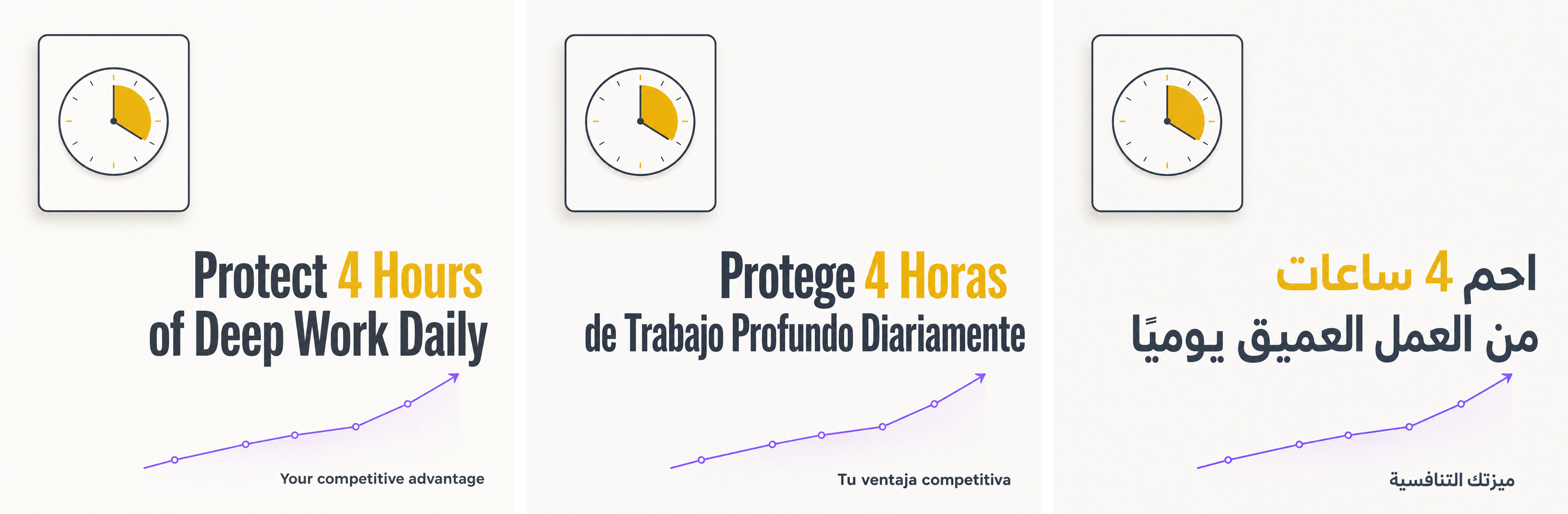 Generated with Canvora: one design, localized into Spanish and Arabic. Note the right-aligned RTL composition in the Arabic version.
The methodology
How we checked (August 2026): every capability and price below was verified against each vendor's own public pages – their pricing pages, feature pages and help centers. The three questions we put to each tool's own documentation: does it compose the design in the target language or translate over an existing layout, what does it say about right-to-left scripts, and what happens when translated text runs longer than the original. The Canvora visuals on this page (including the three-language strip below) are real, unretouched generations. Where a vendor's pages are ambiguous, we say so instead of guessing.
The tools
Canvora — best for native multilingual design
Canvora is our product; judge this section accordingly. Canvora generates the visual in the target language rather than translating into it: you paste content (URL, text, PDF) in any language – or ask for a target language different from your source – and the layout, typography and copy are composed for that language. 150+ languages including Arabic and Hebrew with correct RTL flow. The localization workflow is the differentiator for multi-market brands: generate once, then ask in chat (or via a connected AI agent in ChatGPT/Claude) to localize the visual into another language – the design stays identical, the text is re-composed natively. Most visuals created on Canvora are not in English; multilingual is the core of the product, not a feature checkbox.
Where it's weaker: no template library to browse – if you want to start from a specific template and hand-edit it, Canva is better at that. Pricing: free (150 one-time credits), then $19/mo (Starter), $49/mo (Pro), $99/mo (Business).
Canva — best template library, translate-over workflow
The industry-standard template tool. For multilingual work, Canva's approach is translation: the Translate app converts text in an existing design across a long list of languages, and its font library has broad script coverage if you pick fonts deliberately. If your language is close to English in length and script (Spanish, Portuguese, Turkish), and you're willing to hand-fix layouts after translating, Canva's template breadth is unmatched. Choose Canva if you want maximum manual control and templates matter more to you than automation. Its multilingual weaknesses: every language version is a manual editing pass per design; free accounts get one translation, total, with monthly quotas on Pro (about $15/month); RTL requires opting in to page mirroring and Canva itself warns Translate "doesn't work with all fonts"; and when a translation runs longer than the English original, the default behavior is to shrink your text to fit – which is the translate-over-template problem in one setting.
Predis.ai — best for caption-led volume posting
Predis generates complete posts (image + caption + hashtags) and schedules them, with caption generation in a wide set of languages. It's built for social media managers who care about consistent posting volume more than per-visual design quality. Choose Predis if your bottleneck is filling a content calendar across accounts. Its multilingual weaknesses: the stated support is 18+ languages for captions; on-image design is template-driven, and the vendor doesn't document how non-English on-image text is composed – if on-image language quality matters, test with your language before committing. Pricing is credit-metered from $32/month ($19 on annual).
Ocoya — scheduling suite with AI copy in many languages
Ocoya combines scheduling, AI copywriting in 28 languages (on Silver plans and up) and template-based graphics with a built-in Canva integration. Similar trade-off to Predis: strong on the text/publishing side, template-translation on the visual side. Plans from $15/month with a 7-day trial – no free tier. Choose Ocoya if you want copy + scheduling in one tool and graphics are secondary.
aiCarousels — carousel specialist with a broad language claim
A carousel-only tool that generates from a topic, URL, PDF or YouTube video and claims support for 100+ languages. Affordable (about $15/month, with a free basic maker) and refined in a simple slide editor. Choose aiCarousels if carousels are your only format and you want cheap, hands-on control. Its multilingual weakness: the 100+ figure is the vendor's claim for text support – it's a template-based editor underneath, so the design isn't composed per language; test your script (especially RTL) in the free tool before relying on it.
Comparison table
| Native design in target language | RTL (Arabic/Hebrew) | Localize an existing visual | Free tier | From | |
|---|---|---|---|---|---|
| Canvora | Yes — 150+ languages | Yes | Yes — design preserved | 150 credits | $19/mo |
| Canva | No — translate-over | Opt-in mirroring, font caveats | Manual per design | Yes | ~$15/mo (Pro) |
| Predis.ai | Captions (18+); on-image not documented | Not documented | No | 7-day trial | $32/mo ($19 annual) |
| Ocoya | Copy in 28 languages; on-image no | Not documented | No | No — trial only | $15/mo |
| aiCarousels | 100+ languages (their claim), template-based | Not documented | No | Free basic maker | ~$15/mo |
The bottom line
If your content is in English and you occasionally need a translated version, any tool above works – pick on template taste and price. If your primary content language is Spanish, Portuguese, Arabic, Turkish, Hindi or anything else non-English, the translate-over-template workflow taxes every single post you make. Native generation is the only approach that scales with you, and in 2026 Canvora is the tool built around it. Try it free – generate one post in your language and compare it against your current tool's output side by side. That single test will tell you more than any comparison table.
Create visuals in 150+ languages
Generate the same post natively in English, Spanish, Arabic, Hindi and more — not translated after the fact. On brand, in a minute.
Free to start · 150 credits, no card · 150+ languages