Supported Languages
Make visuals in any language: how Canvora picks the language, right-to-left scripts like Arabic, non-Latin scripts, numbers, brand names and mixed-language designs.
On this page
Canvora writes the text inside your visuals in the language you ask for. There's no fixed list to choose from: Spanish, Arabic, Hindi, Japanese, Turkish, Portuguese, Korean, Chinese and many more all work the same way. Write your request in that language, or say which language the visuals should be in.
Here's one design, an event poster for a ceramics studio, made in English and then produced in ten more languages. Same photo, same layout, same brand name. Only the words change, and each script is set the way it's normally read.
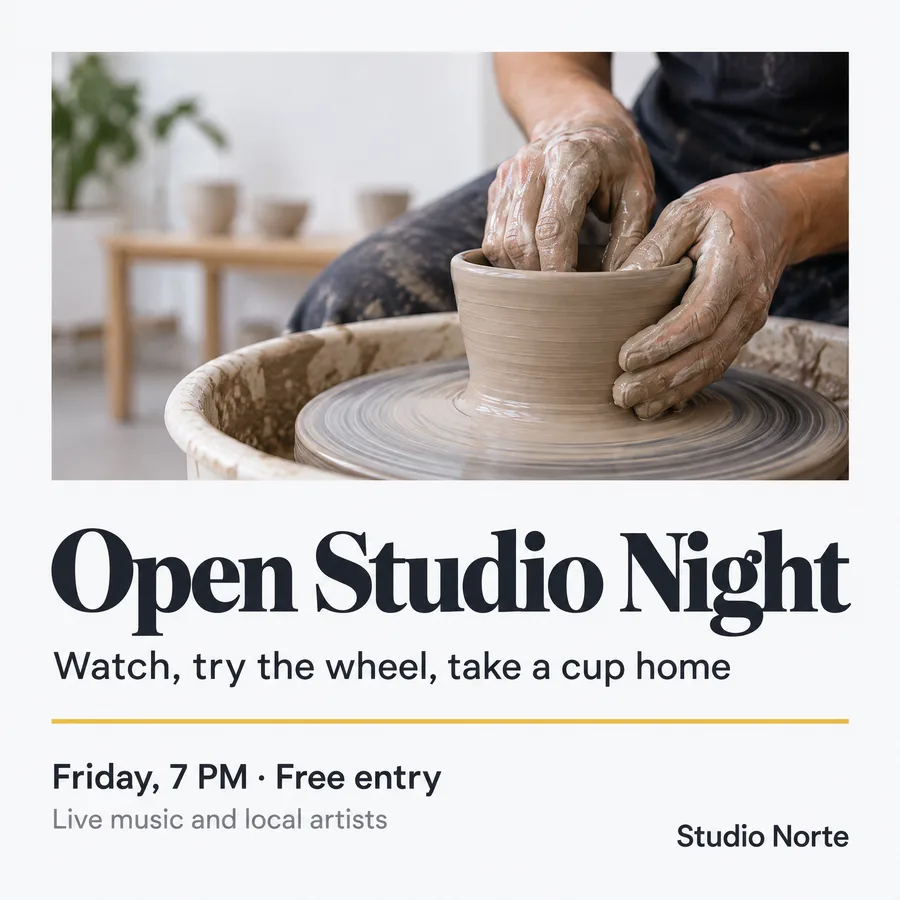
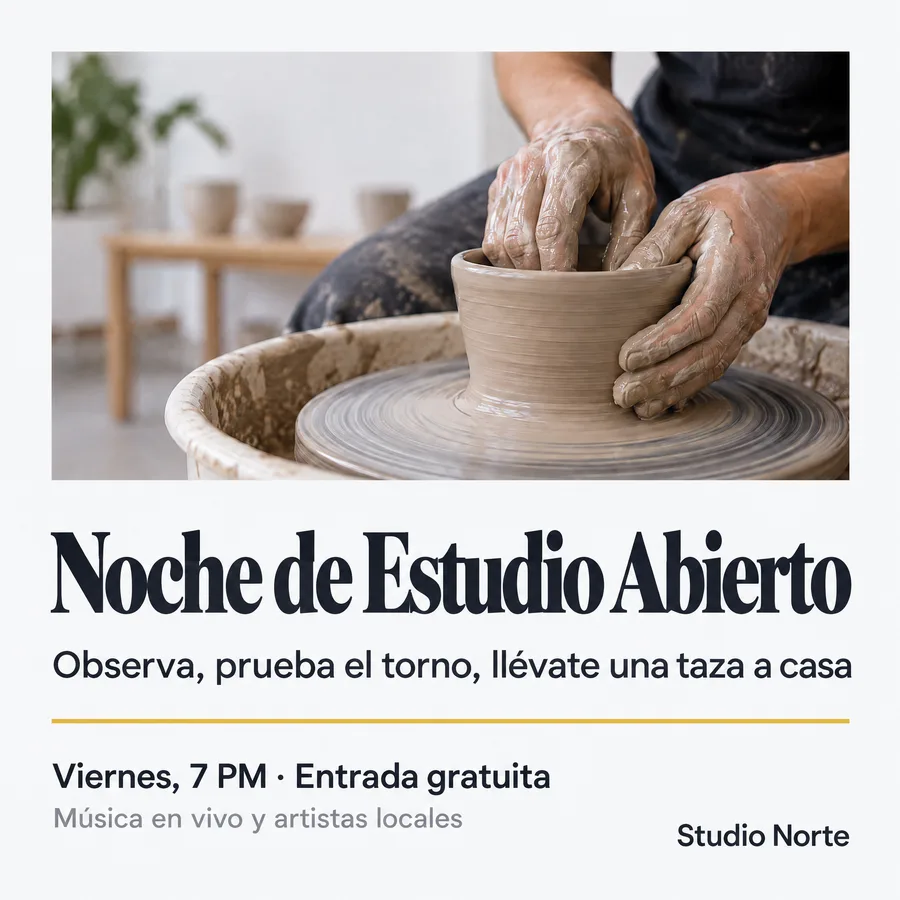
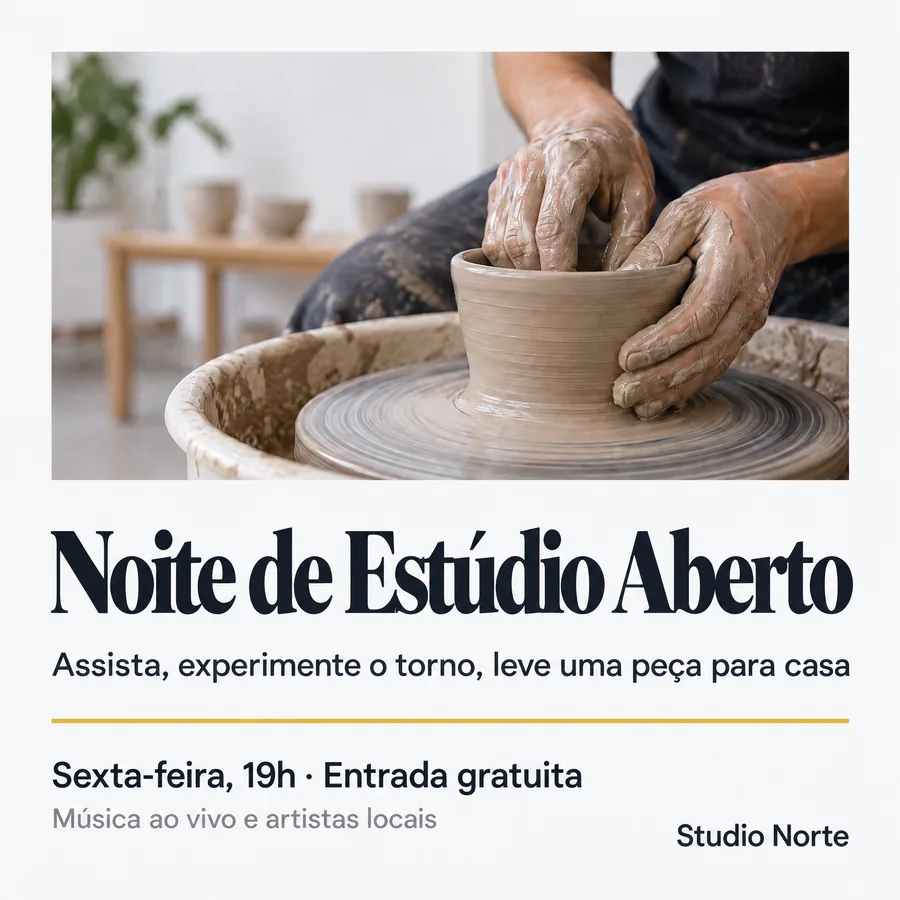
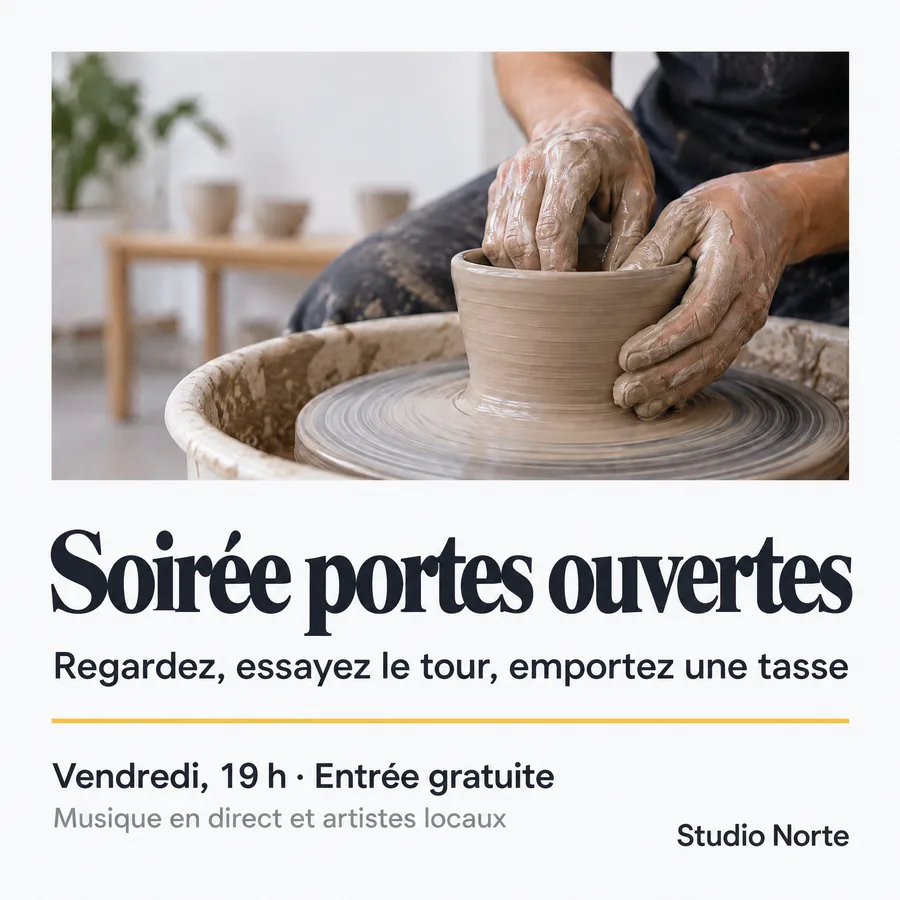
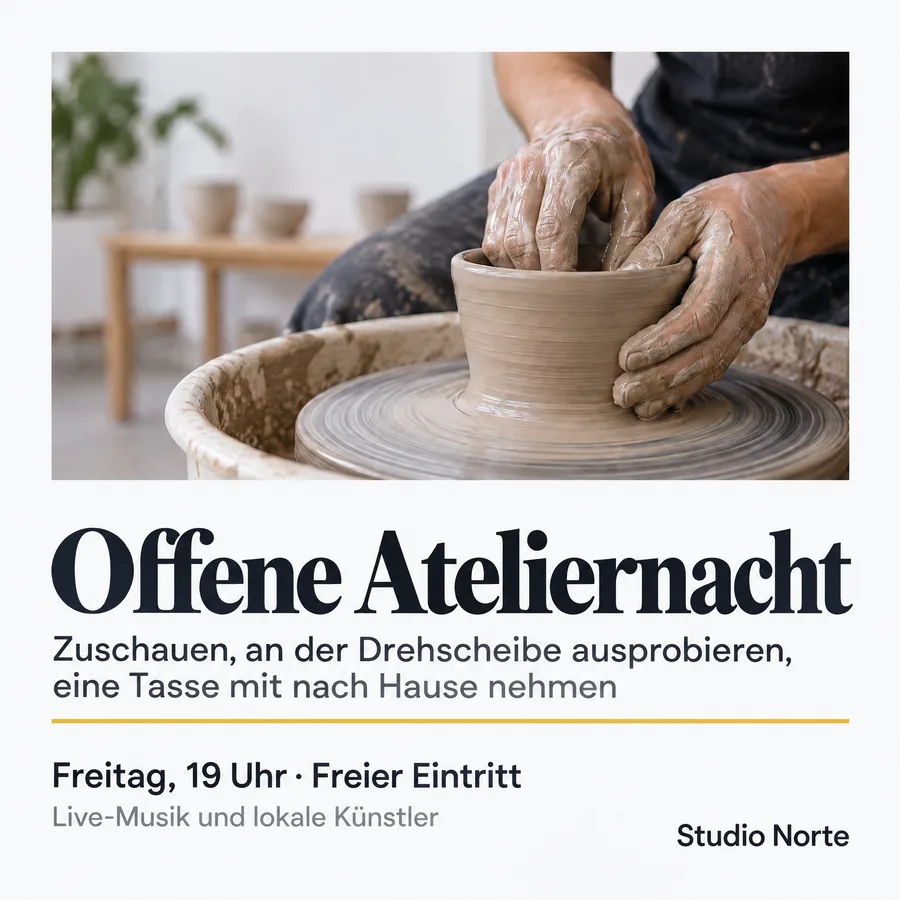
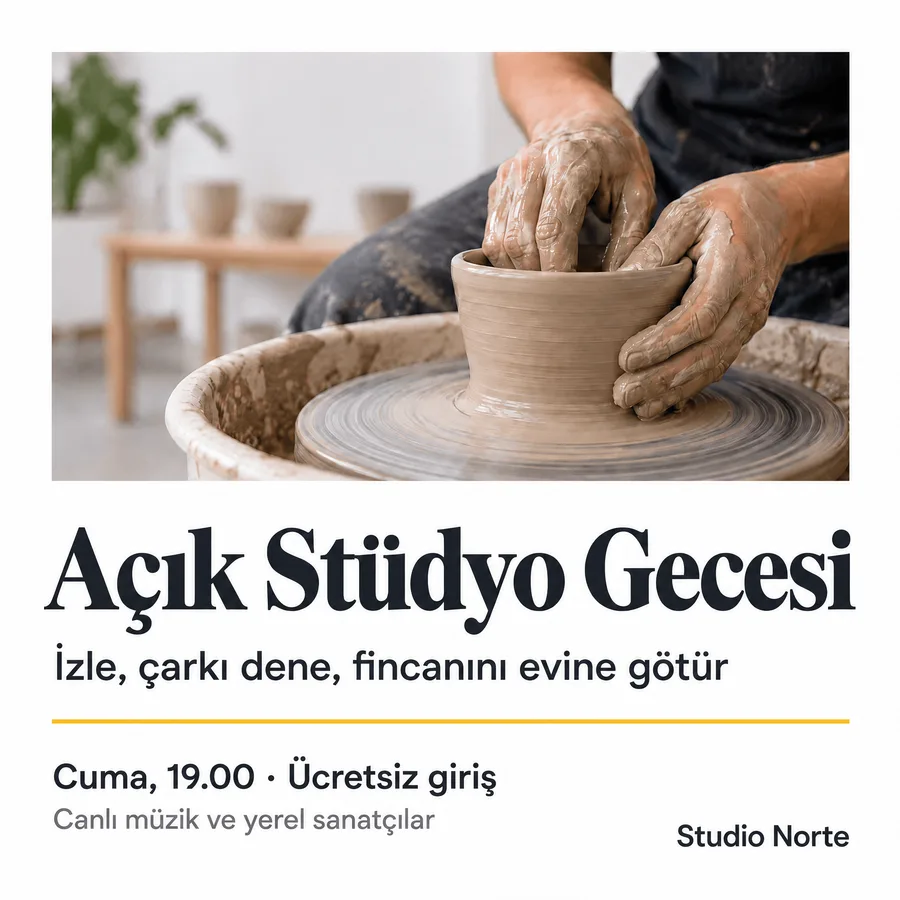
English, Spanish, Portuguese (Brazil), French, German and Turkish.
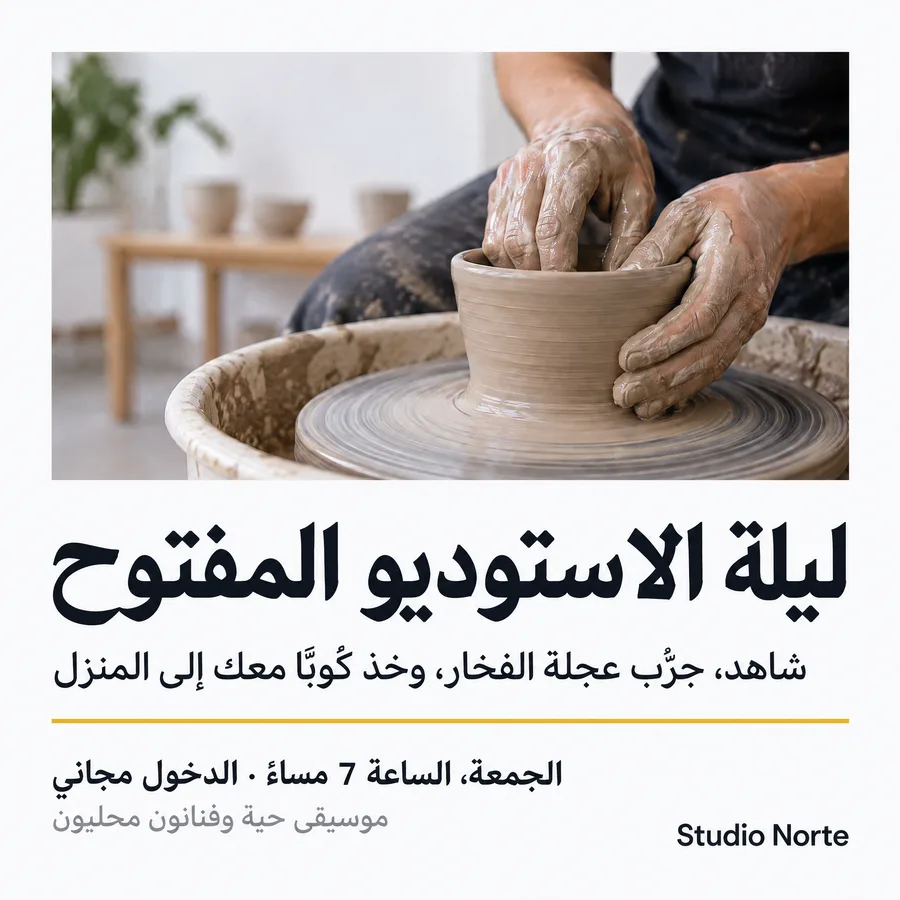
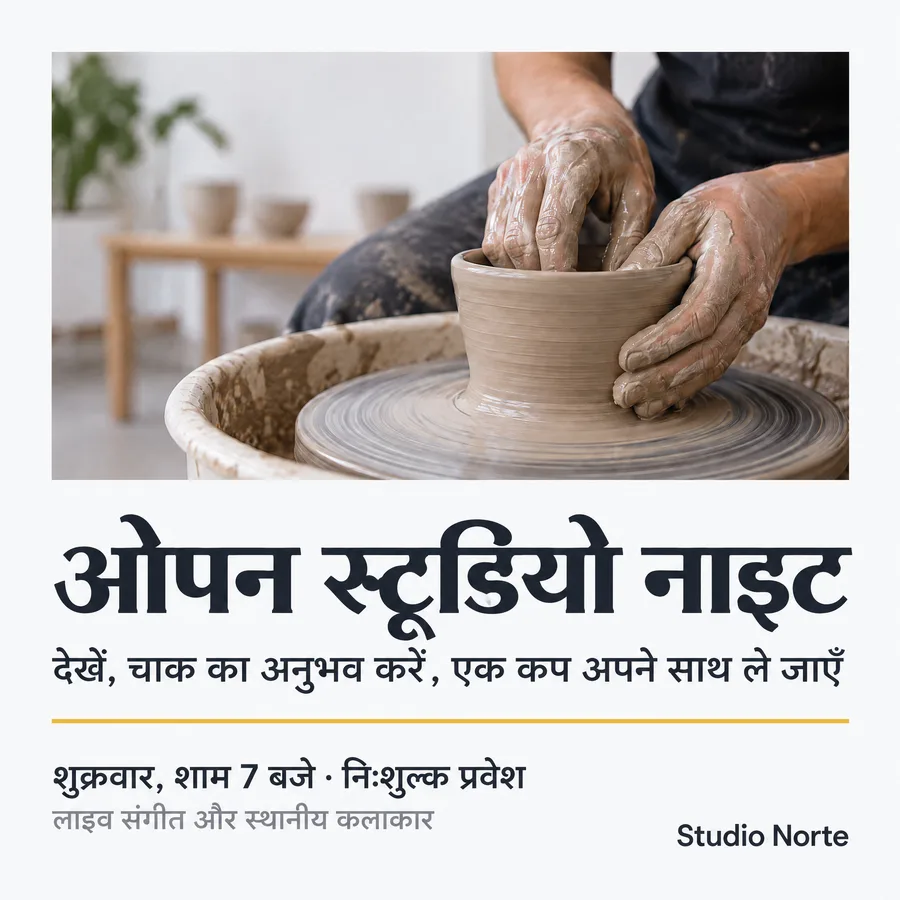
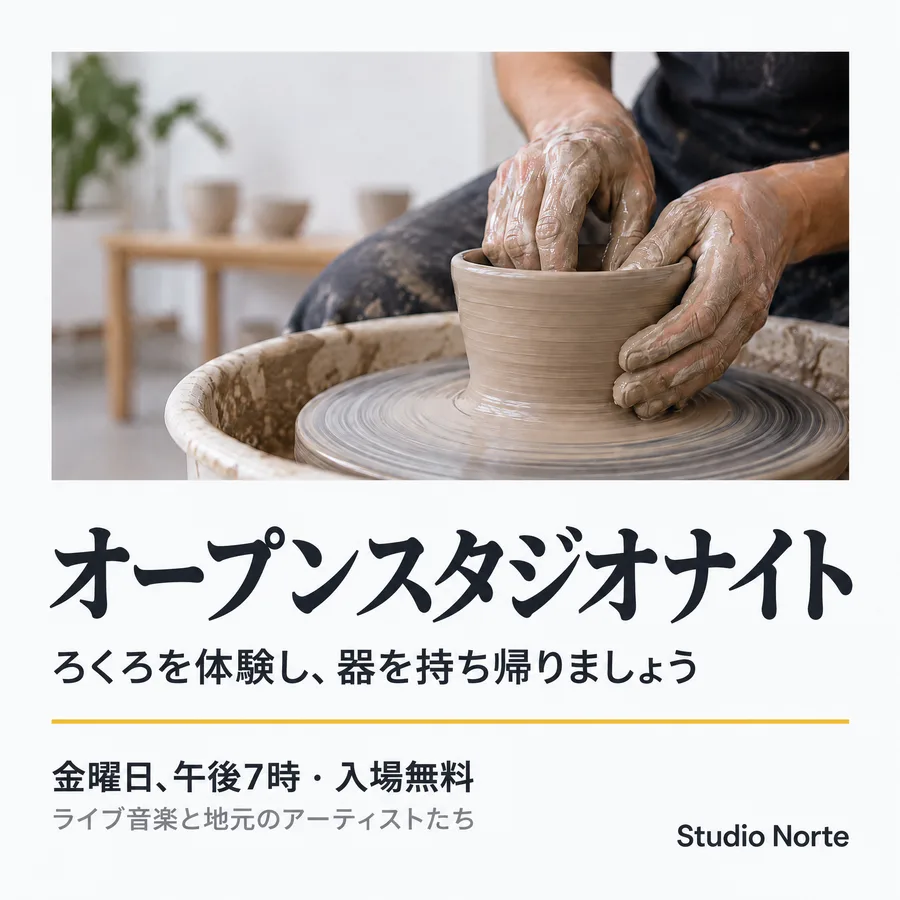
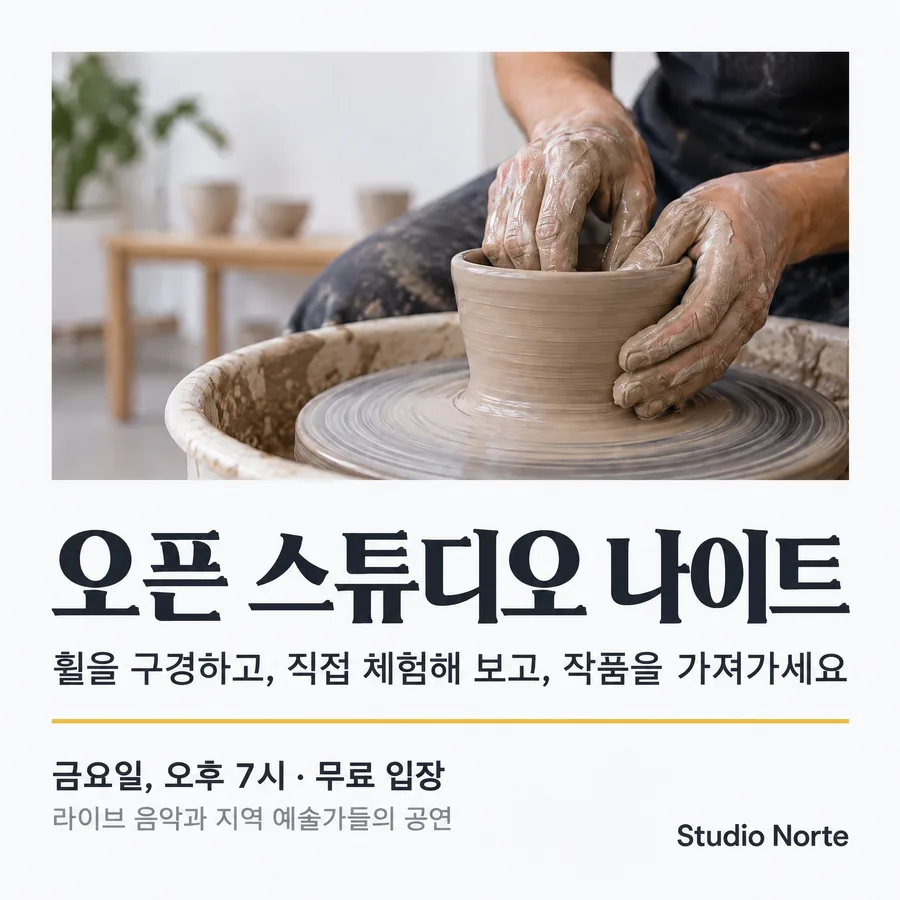
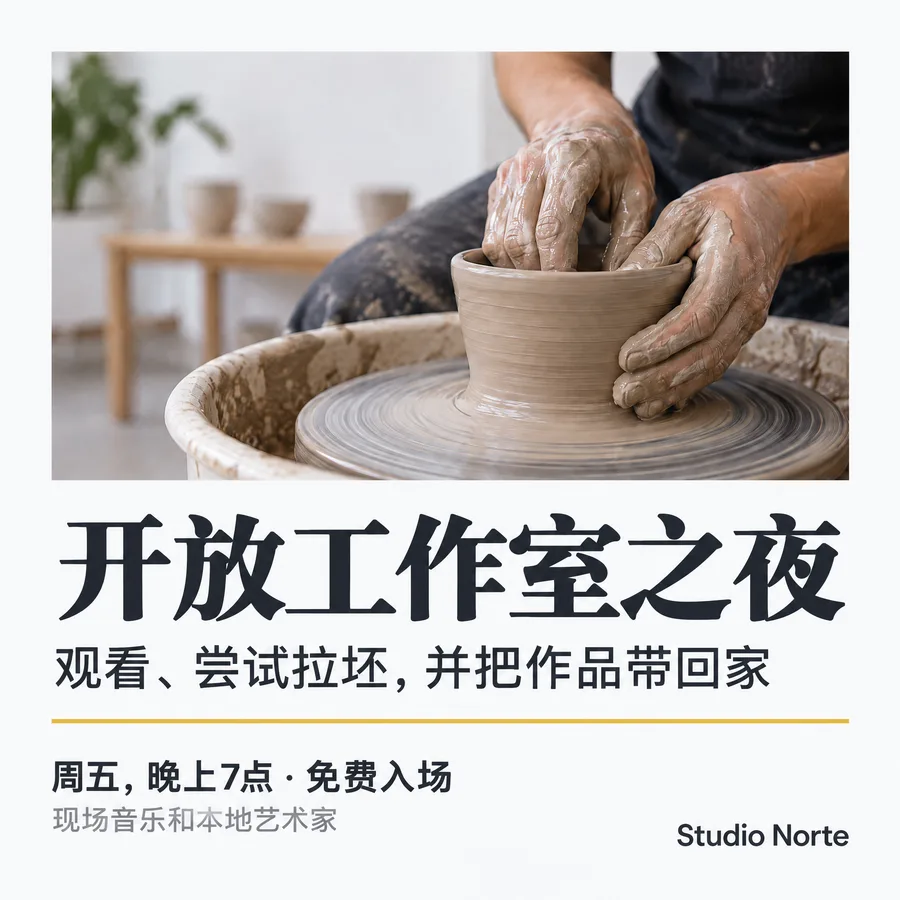
Arabic, Hindi, Japanese, Korean and Chinese (Simplified). The Arabic version is right-aligned for right-to-left reading.
How Canvora picks the language
Canvora uses whichever of these applies:
- You write in the language you want. A request typed in Turkish gets Turkish visuals. This is the simplest way.
- You say it. "Make this in Brazilian Portuguese" or "Arabic, please" works in any language.
- Your content is in another language. If you chat in English but share a page or document in, say, Arabic, Canvora notices and asks which language the visuals should be in: the content's language, the one you're writing in, or English. In the Canvora app this appears as a Visual Language choice before you create; in ChatGPT it's the Language row in the panel.
Developers and agents can pass the language directly with the language parameter of the API (a language code like pt-BR or a name like Arabic).
Right-to-left languages
Arabic, Hebrew, Persian (Farsi) and Urdu read right to left, and a design made in one of them is laid out that way from the start: the text block sits on the right, the reading path starts at the top right, and images and numbers are placed to match. Letters stay connected the way they're written.
That's different from translating an existing English design. A translation keeps the original layout and swaps the text in place, which is often exactly what you want for a campaign that has to look identical everywhere. When the design is mainly for an Arabic-speaking audience, making it in Arabic from the start usually reads better. The Arabic design page shows both side by side.
Non-Latin scripts
Devanagari (Hindi, Marathi, Nepali), Bengali, Tamil, Chinese, Japanese, Korean, Thai, Cyrillic (Russian, Ukrainian), Greek, Georgian, Armenian and Amharic are all supported. For these, Canvora asks for every piece of text in the target script, small labels included, and for lettering that suits the script rather than a Latin font forced onto it.
Numbers, dates and prices
Write numbers, dates and prices the way you want them to appear. For Arabic, say whether you want Arabic-Indic digits (٣٠) or Western digits (30); both are common, and Gulf and Levant brands often mix them. For prices, include the currency as you'd write it ("49 AED", "R$ 49,90", "₹499").
As with any design, read the numbers on the final image before you post it.
Brand names, hashtags and links
When Canvora translates a design, these stay exactly as written: brand names, product names, wordmarks and logos, hashtags, web addresses and email addresses. If a technical term has no natural equivalent, the original word is kept rather than replaced with a loose match.
When you're creating from scratch, put names in quotes ("Studio Norte") and they'll be used as given.
Two languages in one visual
You can mix languages, for example an Arabic headline with an English product line, or a Spanish post with an English hashtag. Say which text is in which language and which one leads:
Arabic headline "ترطيب يدوم ٢٤ ساعة", with a smaller English line "24-hour hydration serum" below it, and the wordmark DUNE SKIN in Latin letters.
Each script keeps its own reading direction.
Tips for the best results
- Write the text yourself when it matters. Slogans, legal lines and anything approved by a client: give the exact words and turn on Use my exact text.
- Use the variety of the language your audience uses. "Spanish (Spain)" and "Spanish (Mexico)", or Brazilian and European Portuguese, use different words. Name the one you need.
- Keep headlines short. German and Finnish words run long, and some scripts need more height. Short headlines give the layout room in every language.
- Have a native speaker read anything high-stakes. Translation is good, but a headline on a billboard deserves a second pair of eyes.
FAQ
How many languages does Canvora support? Canvora isn't limited to a fixed list. It writes in the major world languages and many smaller ones, in Latin and non-Latin scripts. The eleven above are examples we generated for this page.
Can I make the same design in several languages? Yes. Make it once, then ask for other languages and the layout stays the same. See Localize a visual into another language.
Does Canvora support right-to-left languages like Arabic and Hebrew? Yes. Designs made in those languages are composed right to left, and translated designs have their text right-aligned in place.
Can I choose between Arabic-Indic and Western digits? Yes. Write the numbers the way you want them, or say "use Western digits" in your request.
Will my brand name be translated? No. Brand names, product names, logos, hashtags and links stay as written.
Does it work in ChatGPT and Claude too? Yes. Write in your language there as well. See Canvora in ChatGPT and Canvora in Claude.
Continue reading
Editing Your Visuals
Fine-tune any generated image with natural language—just describe what you want changed
Localize a Visual into Another Language (Same Design)
Make the same design in Spanish, Arabic or any other language: what stays, what changes, how to do it in ChatGPT, Claude or the app, and what it costs.
Prompt Best Practices
Get better results by learning what to say (and how to say it)
Repurposing Content
Turn one piece of content into dozens of visuals across every platform