Instagram post size (2026)
Use 1080 × 1350 pixels (4:5 portrait): it takes up the most room in the feed. Square posts are 1080 × 1080 and landscape posts 1080 × 566 (1.91:1). Instagram resizes anything wider than 1080 px down to 1080 px. Some versions of Instagram's help page now allow a taller 3:4 portrait (1080 × 1440), so 4:5 is the safe choice every version accepts.
Checked against Instagram's official guidelines on October 26, 2026.
Instagram image sizes
| Image | Size | Aspect ratio |
|---|---|---|
| Portrait post Takes up the most space in the feed. | 1080 × 1350 px | 4:5 |
| Taller portrait Listed on newer versions of Instagram's help page; not yet on all of them. | 1080 × 1440 px | 3:4 |
| Square post | 1080 × 1080 px | 1:1 |
| Landscape post | 1080 × 566 px | 1.91:1 |
| Carousel The orientation you pick (square, portrait or landscape) applies to every photo in the post. | Up to 20 slides | Same for every slide |
- Width Instagram keeps
- 320 to 1080 px (wider images are resized to 1080)
- Other ratios
- Cropped to the nearest supported ratio
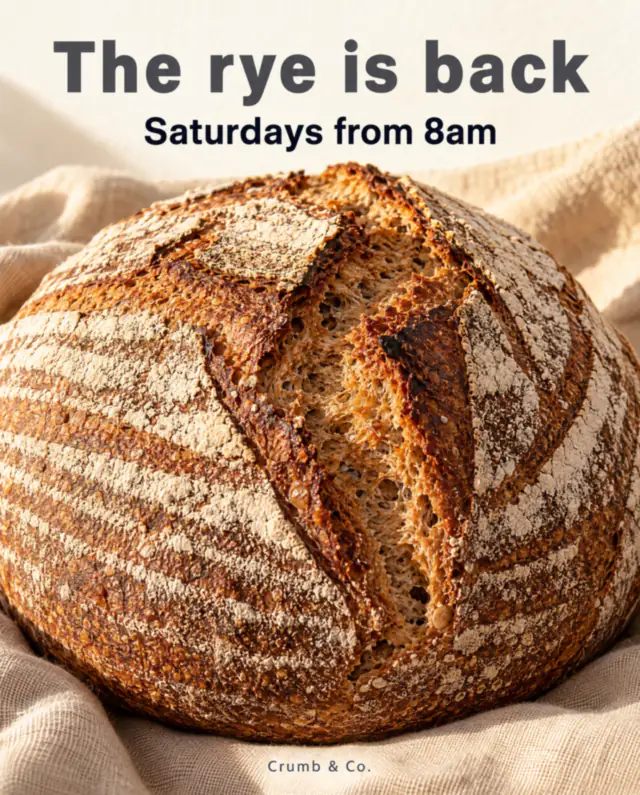
Make an Instagram post in this size
A 4:5 portrait post for a neighbourhood bakery, designed from a short brief at the size that fills the most of the feed.
Make an Instagram postWhy portrait wins
Instagram's feed is a vertical scroll on a vertical screen. A 4:5 post is the tallest shape every version of Instagram's help page accepts, so it occupies more of the screen than a square or landscape post, and stays visible a moment longer as people scroll.
The width rule
Instagram stores feed images at a maximum width of 1080 px. Upload exactly 1080 px wide: larger images are scaled down anyway, and images narrower than 320 px are enlarged and look soft.
Carousels
A carousel can hold up to 20 slides, and every slide uses the shape of the first. Plan a carousel at one size, usually 1080 × 1350, and keep the layout consistent from slide to slide so the swipe feels like one story.
Common questions
What is the best size for an Instagram post?
1080 × 1350 px (4:5 portrait). It is the tallest shape every version of Instagram's help page accepts, so it fills the most of the feed without being cropped.
Should I use 4:5 or the new 3:4?
Instagram's help page currently exists in two versions: one lists 4:5 (1080 × 1350) as the tallest portrait, a newer one 3:4 (1080 × 1440). 4:5 works everywhere today; use 3:4 only if your app offers it.
Why does my post look cropped on my profile grid?
The profile grid shows a cropped preview of each post, and Instagram has not published the exact crop. Keep faces, headlines and logos near the centre so they survive any preview crop.
Can carousel slides be different sizes?
No. The orientation you choose for the first item, square, portrait or landscape, applies to every slide, so design all slides at the same size.
How many slides can an Instagram carousel have?
Up to 20 photos or videos, according to Instagram's current help page. Older guides and posts still say 10.